What is Adobe Commerce inventory management software?
Adobe Commerce inventory management software is the layer enterprise retailers use to track stock, sync product data, route orders, and reconcile supplier fulfillment beyond what Magento's native inventory features provide. Adobe Commerce handles owned inventory across multiple sources well, but supplier networks, dropship workflows, and B2B catalogs require software that connects suppliers to your operation, normalizes feeds against your Magento product structure, and keeps everything synchronized as the supplier network grows.
How does Carro work with Adobe Commerce specifically?
Carro integrates with Adobe Commerce and lands supplier data directly in your existing Magento catalog with proper attribute structure, configurable products, and category assignments. Stock levels stay synchronized with your Magento inventory as the supplier network changes, and order routing triggers when partner-product orders are placed - without modifying core Magento behavior or asking your team to switch to a separate admin to manage suppliers.
Who is Carro best suited for?
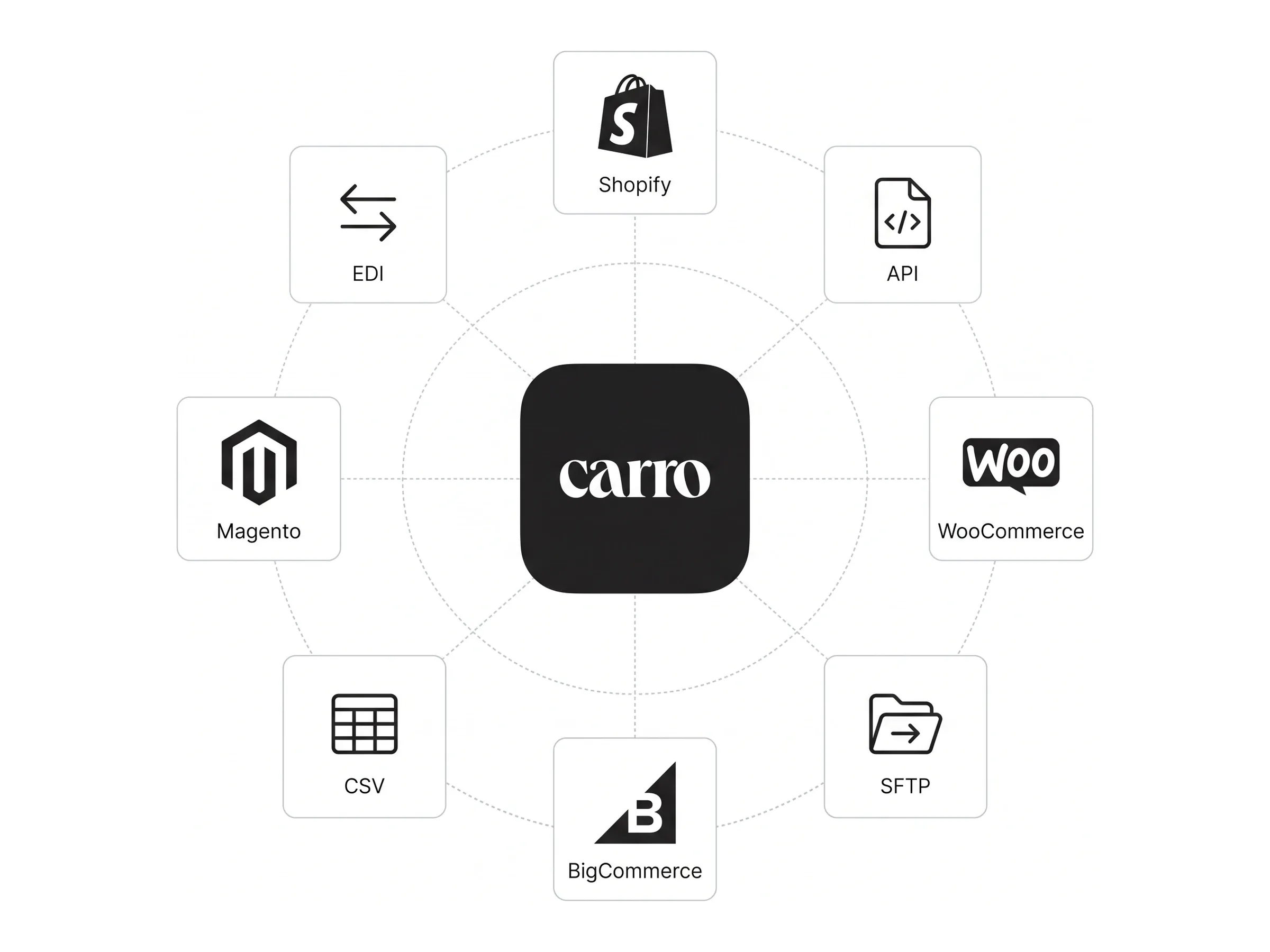
Carro is best suited for retailers, online marketplaces, and brand suppliers running on Adobe Commerce, Shopify, BigCommerce, or compatible commerce platforms. The platform fits enterprise Adobe Commerce retailers modernizing dropship programs, B2B operators scaling supplier networks across shared catalogs, multi-brand groups operating complex Magento installations, and DTC brands joining as supplier partners on retailer storefronts.
How does Carro differ from native Adobe Commerce inventory features and Magento extensions?
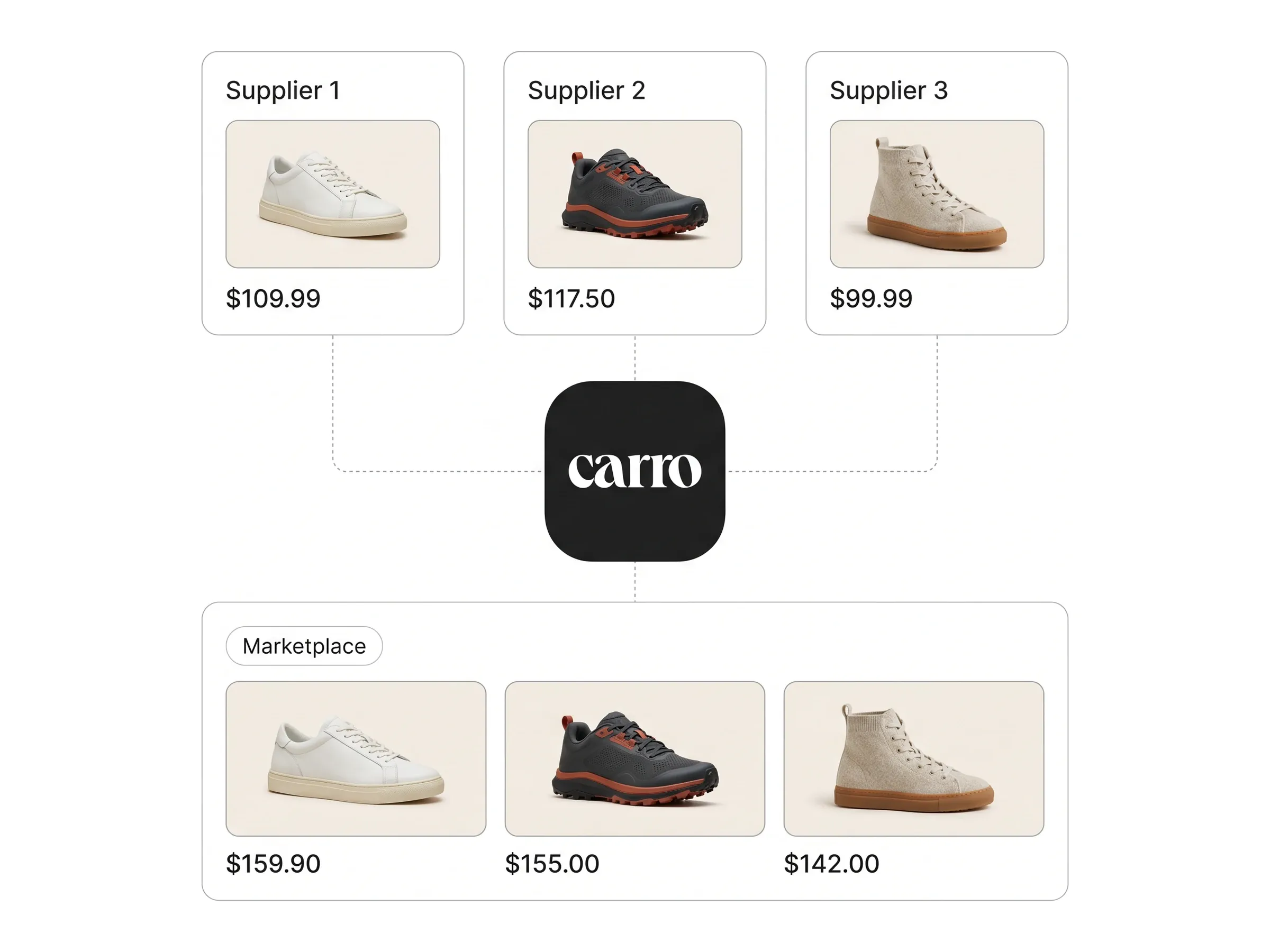
Carro differs from native Adobe Commerce inventory features and most Magento inventory extensions by handling external supplier orchestration end-to-end, not just on-platform stock tracking. Native Adobe Commerce manages owned inventory across sources you control; Magento extensions typically add narrow capabilities like CSV imports or vendor portals. Carro adds curated supplier onboarding, continuous partner stock sync, automated order routing to brands, and structured settlement - all integrated with Adobe Commerce rather than as another extension your team has to maintain through every platform upgrade.
How do I get started with Carro on Adobe Commerce?
Getting started with Carro on Adobe Commerce begins with a custom pricing conversation or a product demo. The team reviews your current Magento setup, supplier roster, and assortment goals, then maps a launch plan using Carro's Adobe Commerce integration. Most enterprise retailers go live within weeks, with hands-on onboarding support that handles partner activation alongside your team without requiring custom Magento development.
How easy is it to switch to Carro from a custom Magento marketplace build?
Switching to Carro from a custom Magento marketplace build is designed to retire engineering debt, not add to it. The inventory management system for magento is composable by design - it sits alongside your existing Adobe Commerce extensions, ERP integrations, payment modules, and shipping tools rather than replacing them. Pre-built integrations and structured supplier onboarding workflows mean migration happens in weeks instead of quarters, often allowing teams to retire the custom marketplace code that's been a maintenance burden for years.
Can Carro support Adobe Commerce Cloud and B2B deployments?
Carro is built to fit alongside more sophisticated Adobe Commerce operations, including B2B retailers and stores running on Adobe Commerce Cloud. Because Carro is composable by design, it works alongside your existing Magento stack rather than replacing it. For specific configurations - multi-storefront, B2B operations, or headless setups - the Carro team walks through your environment during onboarding to confirm fit and map the right integration approach.