Modernize
Replace a legacy dropship stack without a rebuild
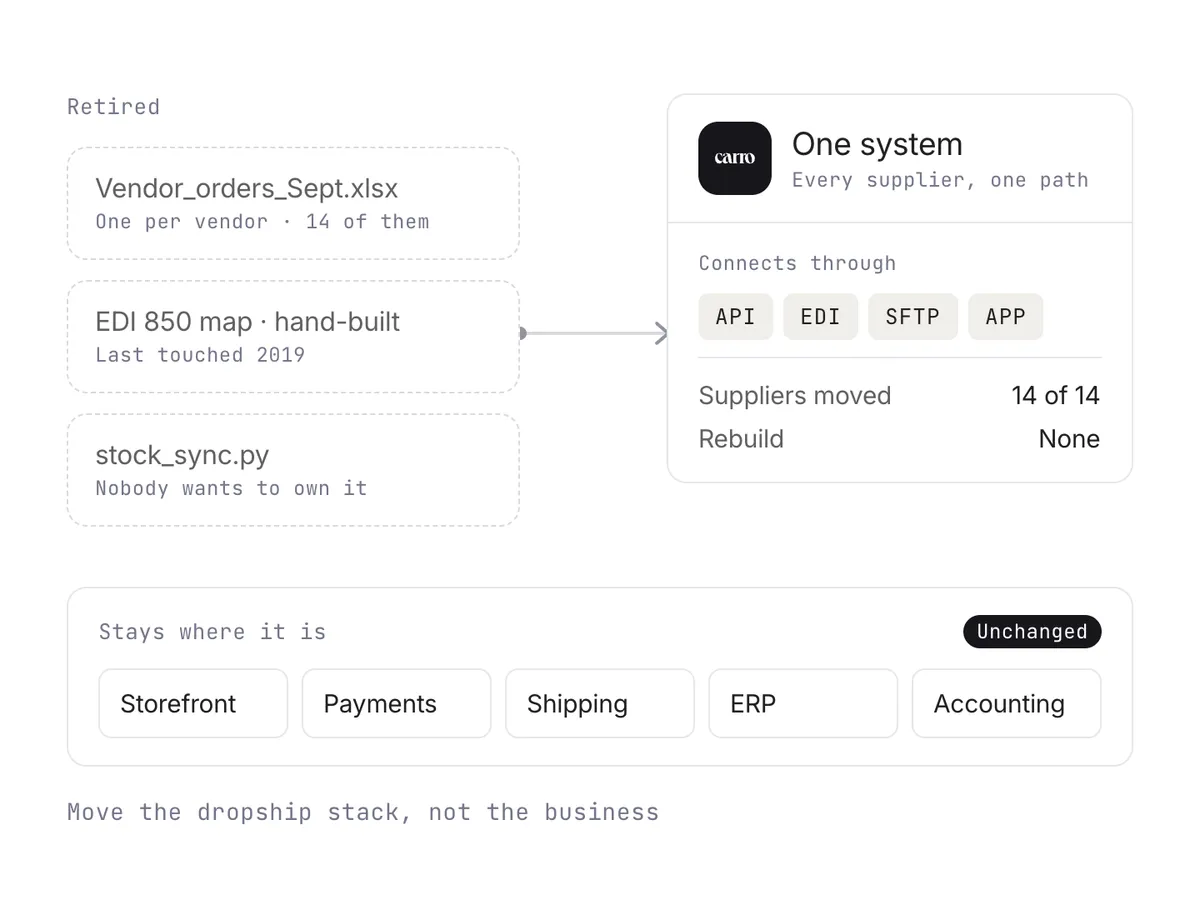
Per-vendor spreadsheets, hand-built EDI mappings, and sync scripts give way to one system. Every new supplier follows the same path, and the systems around it stay where they are.
Stock updates, order routing, fulfillment tracking, and supplier invoicing run on their own, through the connection each supplier already uses. Your team steps in where a person should decide, such as a failed charge or a return request.
Book a demo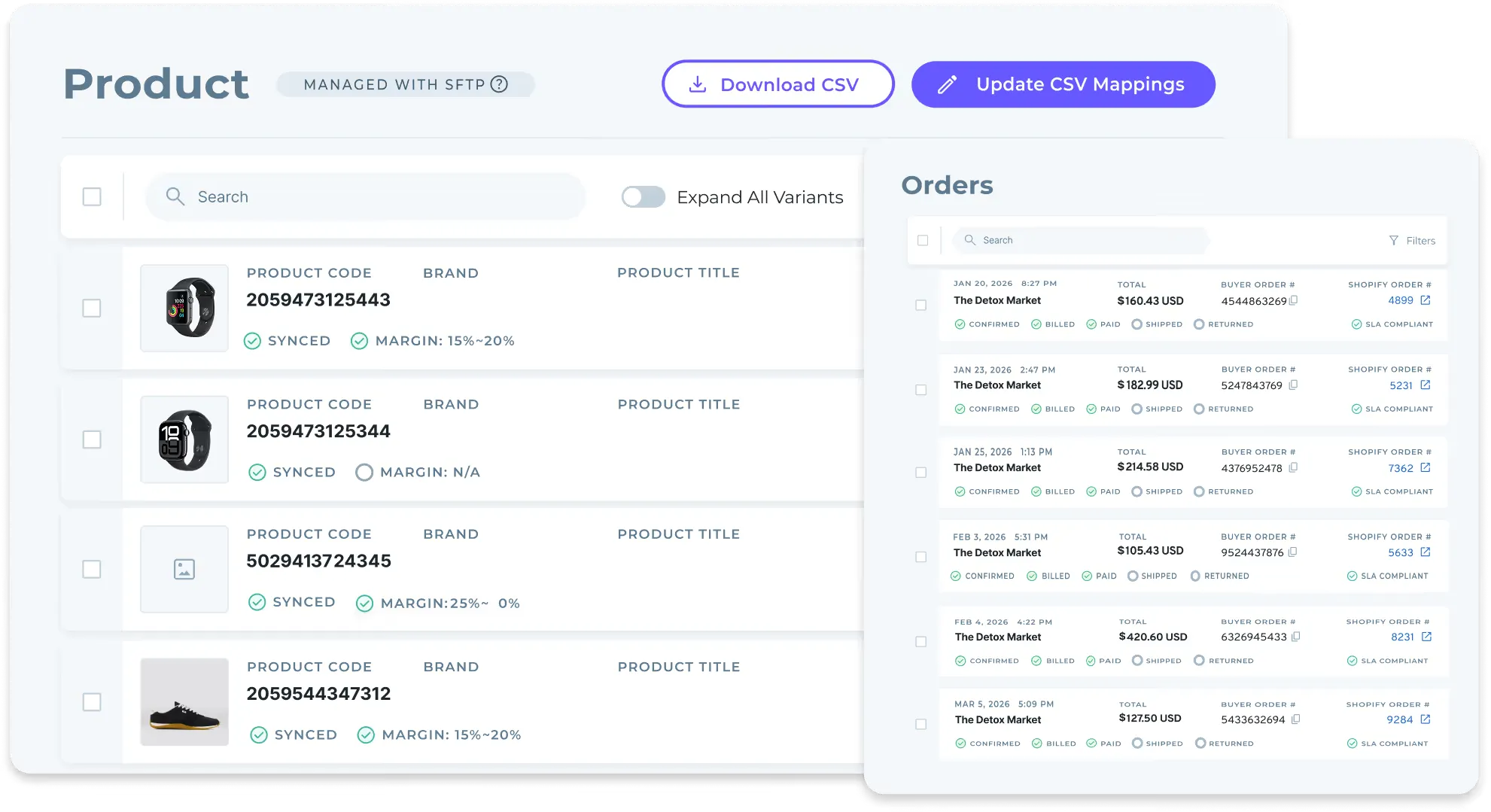
Four use cases where automation removes the most manual work. Each one has its own page with the full workflow.
Modernize
Per-vendor spreadsheets, hand-built EDI mappings, and sync scripts give way to one system. Every new supplier follows the same path, and the systems around it stay where they are.
Scale Marketplace
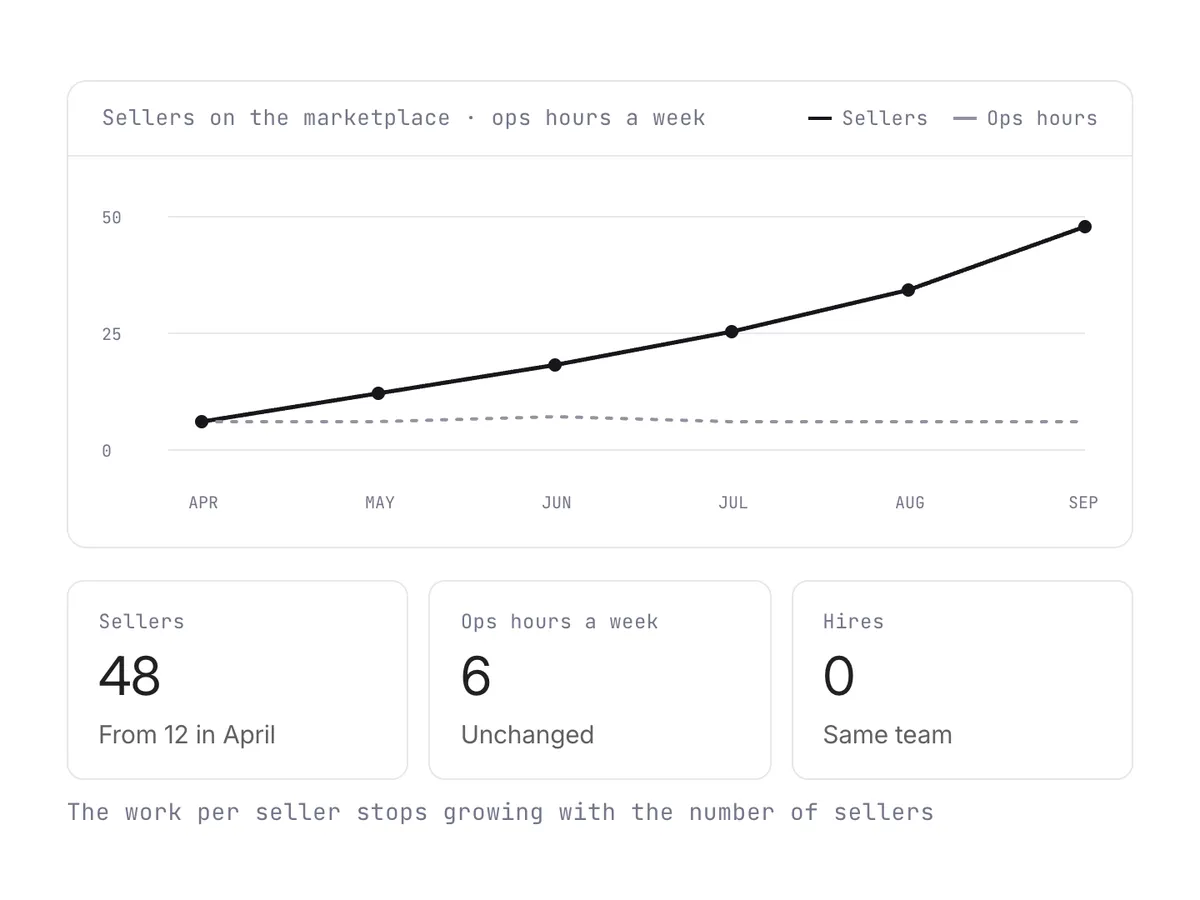
Onboard partners in bulk through one workflow and let orders route themselves. The work each new seller costs stops growing with the number of sellers.
Immediate Payouts
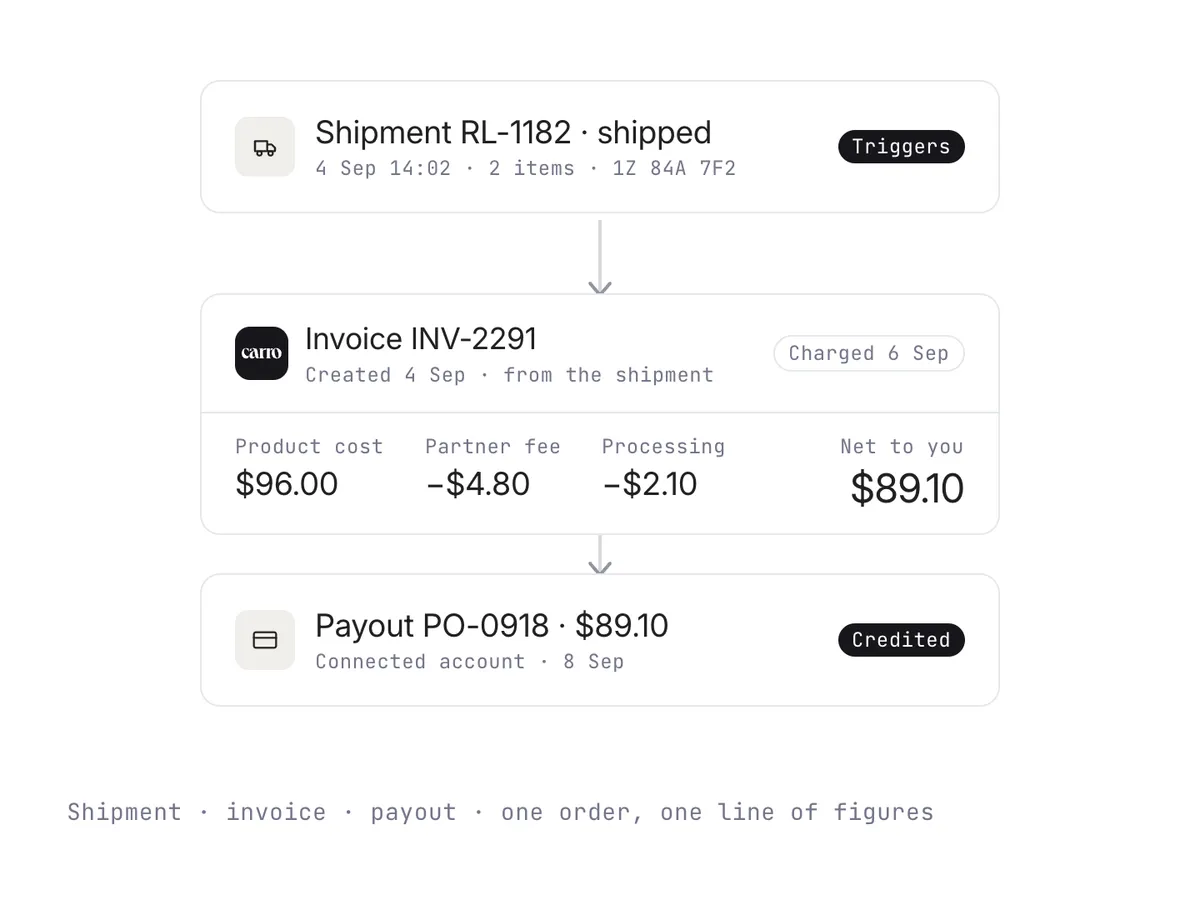
The shipment triggers the invoice, and fees and returns are worked out against the order they belong to.
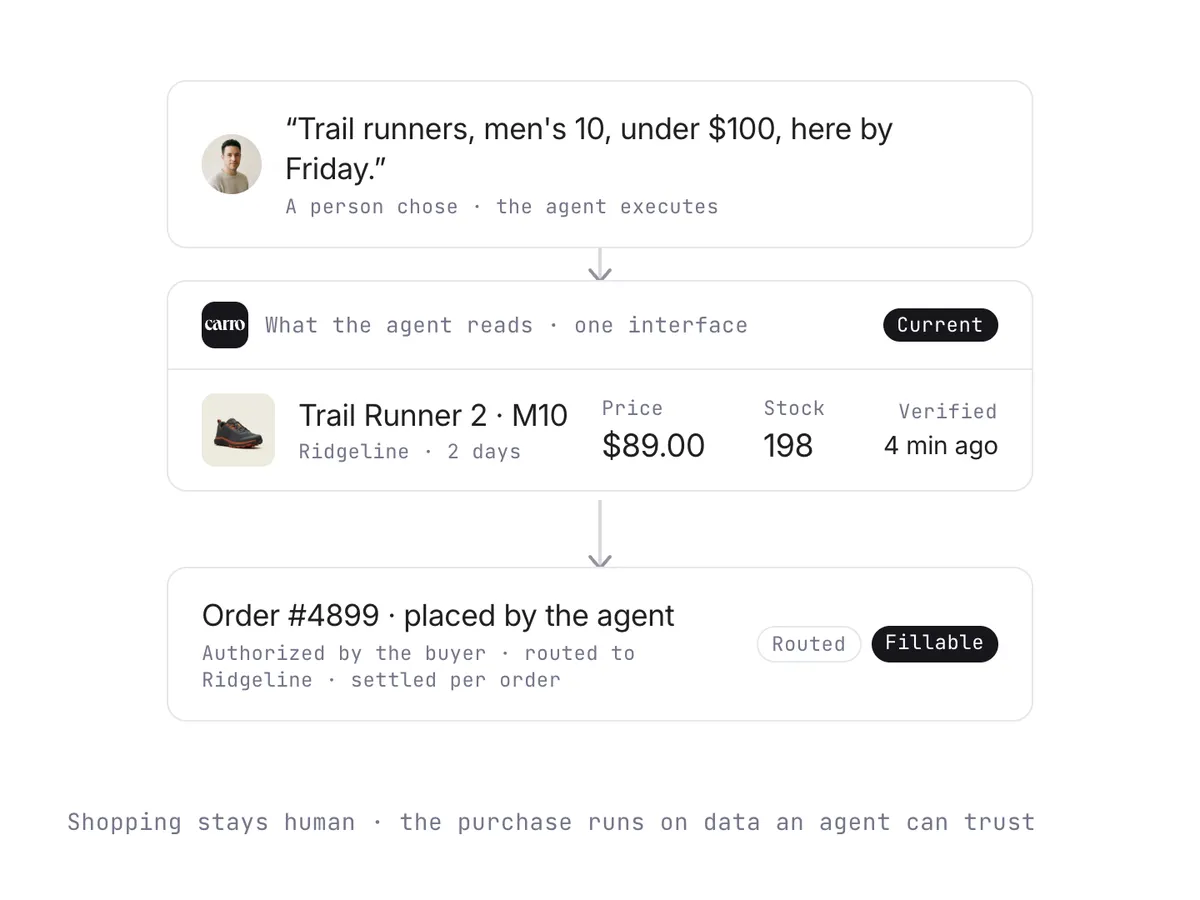
Agentic Checkout
Stock and prices stay current across every brand, so an agent reads a catalog it can trust. Carro then routes and settles the orders agents place.
Carro supports a wide range of integration methods. It connects to Shopify, Magento 2, WooCommerce, and BigCommerce, and it moves data through EDI, an API, SFTP, and CSV.
Carro automates the same supplier workflow for four kinds of teams. Pick yours for the detail.
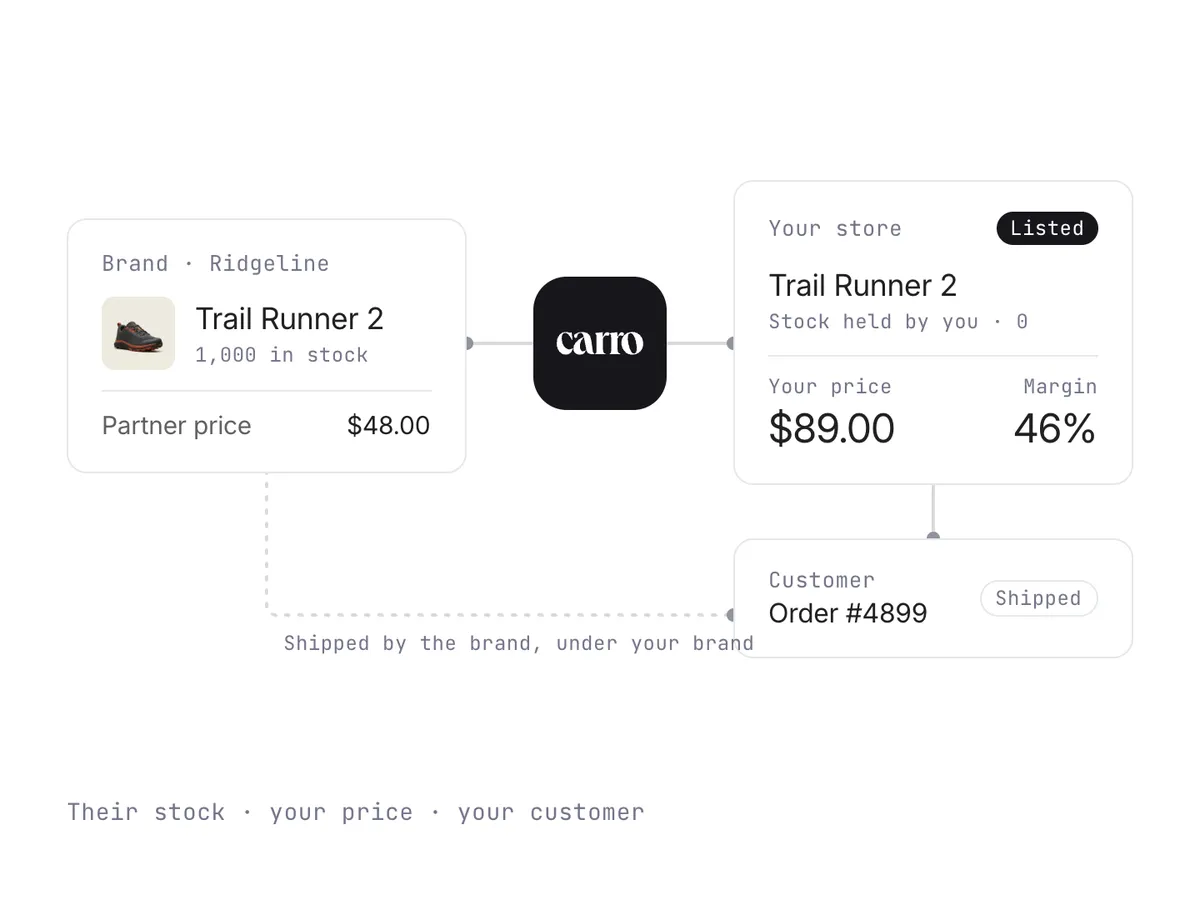
Connect your store to vetted brands and distributors and list their products without buying stock. Onboarding, product data, orders, and payouts run in one system in place of a spreadsheet per vendor.
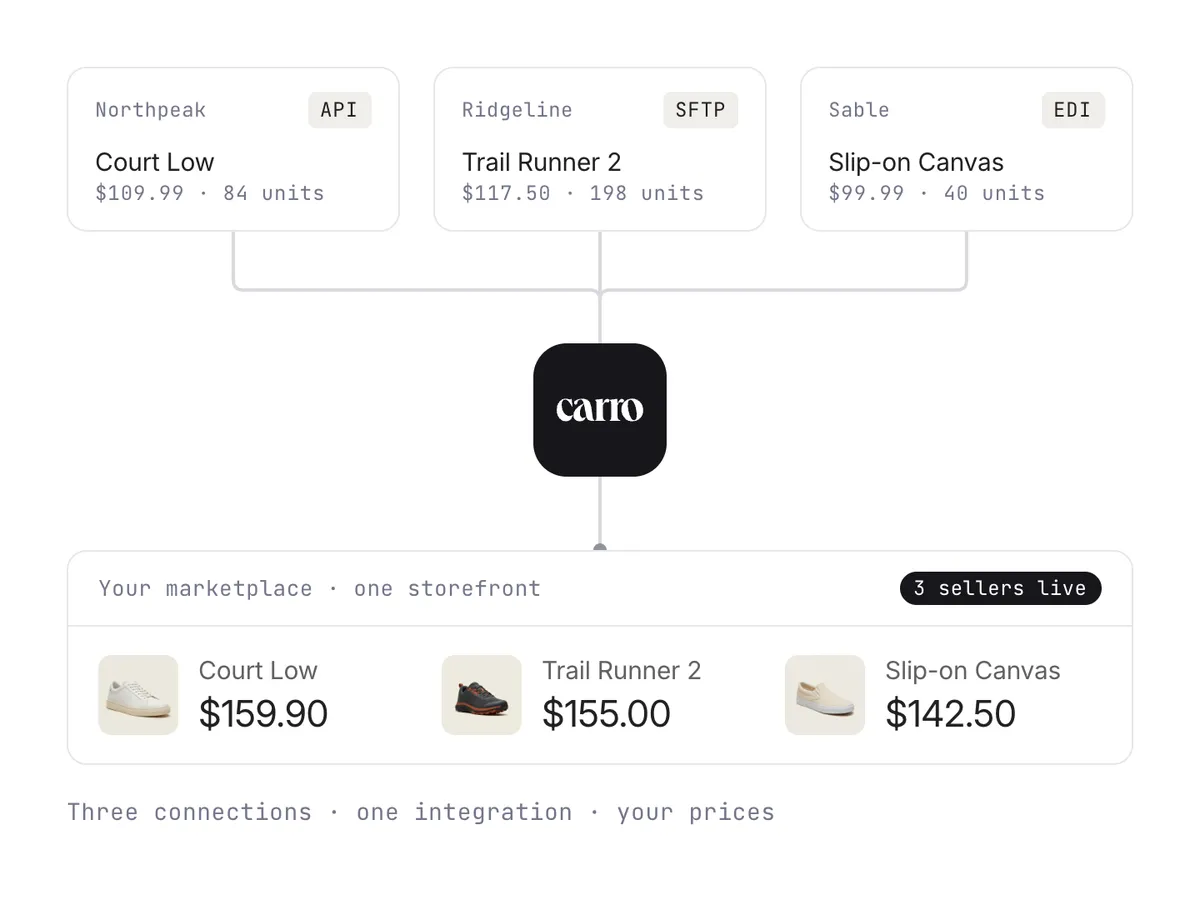
Orders route to the right seller, stock and prices stay current, and each payout is worked out per order. New sellers, including those with no technical team, come on through one standard workflow.
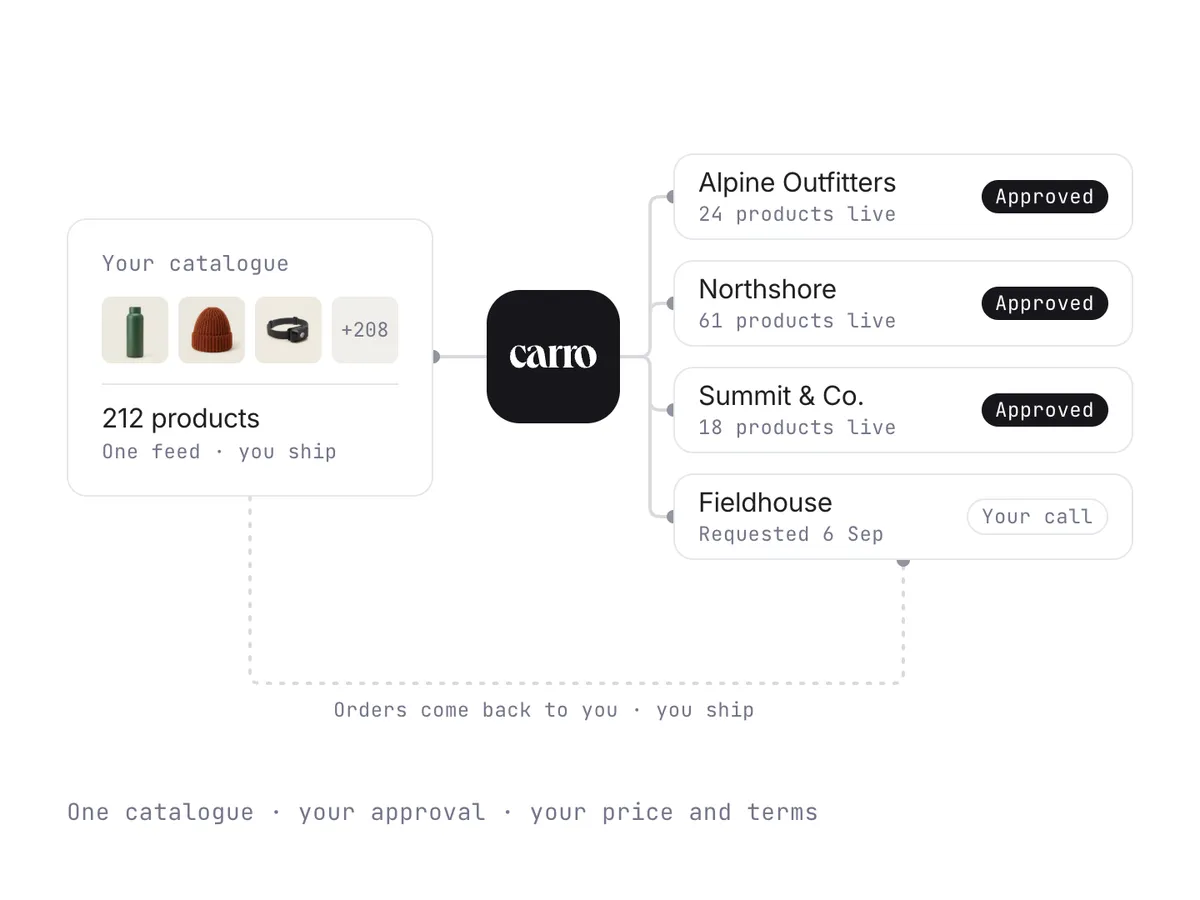
Connect one catalog to the retailers in the Carro network, approve each partner, and ship from your own warehouse. Each partner gets its own price list, and billing follows each shipment.
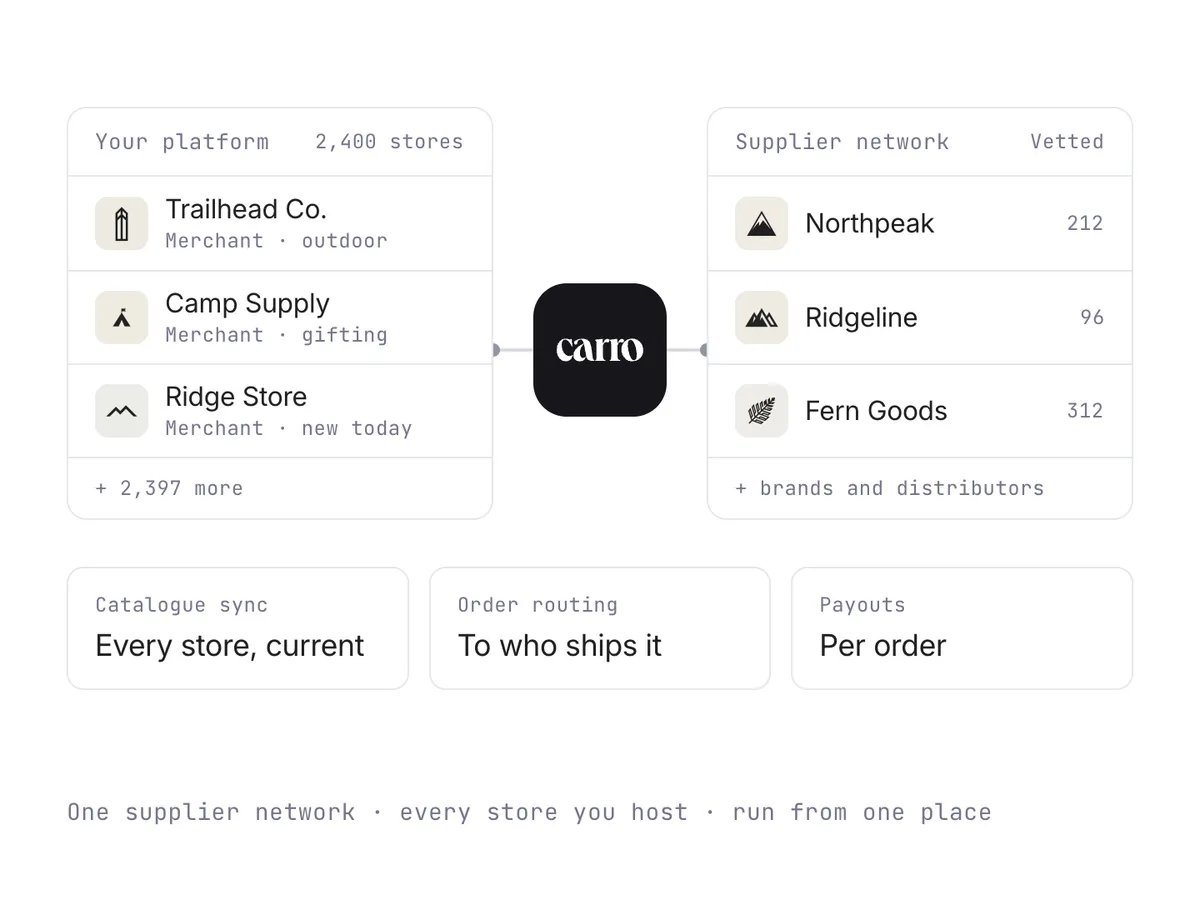
Give every store you host a supplier network. A supplier connects once and reaches every store, and orders split across suppliers with fees and payouts worked out per order.
What sets Carro apart from other ways of automating the supplier side of a store.
Add products from vetted brands and distributors without buying stock, and test them on real demand first. Through Merchant Services, one relationship with Carro replaces a separate agreement with every supplier.
Onboarding, catalog and stock sync, order routing, invoicing, and payouts run in one workflow. Every new supplier follows the same path as the last, so the work per seller stops growing with the number of sellers.
Shopify, Magento 2, WooCommerce, and BigCommerce, plus EDI, API, SFTP, CSV, and platform apps. Suppliers without a technical team get hands-on help from the Carro team.
A shipment triggers the supplier invoice, the retailer is charged, and the supplier is credited. Product cost, fees, and returns stay tied to the order, and both sides read the same record.
Stock, prices, and product data stay current across every brand, for multi-supplier marketplaces today and for AI shopping agents that need a catalog they can trust.
Carro's team works on setup directly with suppliers that have no technical staff.
The Dropship Coordinator at Pacsun on faster product launches, testing brands without owning inventory, and the vendors the support team helped onboard.
Two beauty brands built one holiday gift bundle, cross-sold it to each other's customers, and paid nothing extra to reach a new audience.
$68,300in bundle sales, Black Friday to Christmas
The grooming club took its in-store experience online, adding a curated marketplace of premium goods with no inventory requirement.
2,500+unique products added
The electric bike maker added helmets, lights, and other accessories from the Carro network, and became a one-stop shop for its riders.
The vetted-brand marketplace migrated from Onport with a small, part-time team, and onboarded brands that have no technical resources.
The curated commerce platform replaced manual brand sourcing with one system, and now onboards partners and distributes them in bulk.
Answers for retailers, marketplaces, and brands looking to automate the supplier side of a dropship program. For questions about your own suppliers, bring them to a demo.
Book a demoDropship automation software runs the repeat work between a store and the suppliers who ship its orders. Stock and price updates arrive from each supplier's system, orders go to the supplier holding the stock, and invoices follow shipments, without someone re-keying data between systems.
Carro is dropshipping automation software for retailers, marketplaces, brands, and shopping platforms working with established suppliers. It connects through each supplier's own setup, whether a commerce app, an API, EDI, or scheduled files, and runs supplier onboarding, catalog sync, order routing, and settlement in one workflow.
With Carro, stock moves from each supplier's system on the cadence its connection supports, and partner price lists set the cost for each relationship, so nobody re-enters numbers when a supplier changes them. A customer order splits into supplier orders automatically, each sent into the system that partner already uses, with tracking coming back as the supplier ships.
On the billing side, a shipment triggers the supplier invoice under the settings you agree, and fees, commissions, and return credits land against the order they belong to. Some steps stay with a person on purpose: a failed charge is surfaced for someone to act on, and return acceptance and refunds remain separate decisions.
Many dropshipping automation tools are built for single stores importing generic products from large catalogs. Carro works with a large and growing catalog of vetted products from established brands and distributors, and its team introduces suppliers based on your category and audience fit. You can also connect the partners you already work with.
Carro also covers more of the workflow. Supplier setup, catalog sync, order routing, invoicing, and payouts run in one place beside your existing payments, ERP, and accounting systems, and through Merchant Services, one relationship with Carro covers inventory from many suppliers. The platform overview shows each module in detail.
Carro does. It connects to Shopify, Magento 2, WooCommerce, and BigCommerce, and moves supplier data through EDI, API, SFTP, CSV, or a platform app. It runs beside your current payments, shipping, ERP, and accounting systems, and agreed EDI connections with suppliers can keep running while you add new ones.
Suppliers without a technical team are supported. The Carro team works on the setup with them, which is how The FairGround onboarded brands with no IT resources after moving from Onport.
No. You approve which suppliers join, set the price and the merchandising, and keep the sale under your own brand. Edits change your copy of a product and leave the supplier's original as it was, and validation flags data problems before anything goes live.
Automation handles the routine steps, and exceptions come to your team with the detail needed to act on them. Stalled orders, SKU mapping errors, and failed charges appear in one exceptions view, and every order carries a documented state from confirmed through shipped with tracking.
Each supplier follows the same sequence: account details, connection, product data, partner price list, and a test order before go-live. The test order checks fulfillment, tracking, and invoicing before any product is published.
Suppliers come onto the network in days, and a marketplace can open on a store it already runs in weeks. Because every new supplier follows the same path as the last, the work per supplier stops growing as the program does.
Book a demo and bring your supplier mix, your current systems, and the manual steps that take your team the most time. The Carro team maps how each supplier would connect and which steps would run on their own.
From there, suppliers move through onboarding one at a time or in bulk, and your team works from one view of catalog, orders, and payouts in place of a spreadsheet per vendor.
Bring a representative supplier and a real order path, and see the stock, the order, and the invoice move without anyone re-keying them.