Best Multi-Vendor Marketplace Platforms in 2026 (Top-Rated Software Reviewed)
Discover the best multi vendor marketplace platform for 2026. Compare Carro, Mirakl and Sharetribe to add sellers without a rebuild. Discover more.
Carro is the best multi vendor marketplace platform in 2026 for retailers and marketplace operators who want third-party sellers on the store they already run. It brings every seller on through one workflow and settles each order when it ships, with no replatform and no custom build.
Adding third-party sellers is how many retailers widen their range without buying stock. Each seller brings its own catalog, stock feed, shipping setup and invoices. Product data has to be mapped, stock kept current, orders routed and payouts worked out before a sale counts.
This comparison is based on verified G2 and Capterra reviews and a detailed analysis of each tool, carried out in September 2026.
Key Takeaways (TL;DR)
- Why Do You Need It: Every seller you add brings its own catalog, stock feed, shipping setup and invoices. Multi-vendor marketplace software keeps that work in one system, so the next seller costs less effort than the last.
- Who It's For: Retailers opening a marketplace on an existing store and marketplace operators adding sellers faster than they can hire. Founders starting a marketplace from zero will also find builders on this list.
- The Best Overall Multi-Vendor Marketplace Software: Carro. It opens a marketplace on the Shopify, Magento 2, WooCommerce or BigCommerce store you already run and brings sellers on through one workflow, including sellers with no technical team.
- What Sets Carro Apart: Carro holds the authorization to represent products from vetted brands and distributors in agreed selling channels, so one commercial relationship with Carro replaces a separate agreement with every brand in its 1,500,000-product network.
- How to Choose the Right One: Check whether the software opens on the store you already run with no replatform, and how it brings on sellers that have no technical team. Then follow one order from split to payout, since routing and per-order settlement decide what each new seller costs to run.
Top Multi-Vendor Marketplace Platforms in 2026 at a Glance
| Company | Best For | Key Features | Pros | Cons |
|---|---|---|---|---|
| Carro | Retailers opening a marketplace on the store they already run | Seller onboarding workflow, catalog and stock sync, order splitting and routing, shipment-based settlement, 1,500,000-product network | No replatform; sellers without tech teams supported; payouts tied to each order | USD settlement in Stripe-approved countries; storefront apps cover four systems; hand-matched introductions on Growth plan |
| Mirakl | Large retailers and B2B companies running enterprise marketplaces | Seller onboarding and approval, catalog standardization, order management, Mirakl Connect | Structured seller onboarding; strong APIs; seller network across Mirakl marketplaces | Complex setup; learning curve; strict workflows |
| Marketplacer | Retailers and loyalty businesses adding third-party range | Seller onboarding, dropship and range extension, staging environment, category filtering | Marketplace and dropship together; staging checks; composable fit | Slow bulk uploads on staging; seller registration could be simpler; no unified taxonomy |
| Rithum | Enterprise retailers and brands running dropship and channel sales | Dropship network, vendor self-service, public marketplace listings, inventory sync | One place for listings and orders; handles large catalogs; enterprise reach | Learning curve; slow bulk updates; contract terms criticized |
| Sharetribe | Founders launching a new marketplace with little code | No-code builder, API extension, Stripe Connect payments, listings and messaging | Fast setup; responsive support; extensible with code | Marketplaces look alike; learning curve for advanced control; runs as a separate site |
| CS-Cart Multi-Vendor | Self-hosted marketplaces that want full code access | 500+ marketplace features, vendor management, multi-storefront admin, open code, add-ons | Large feature set; code-level customization; fast with large catalogs | Technical setup; advanced features on higher tiers; dated default theme |
| Nautical Commerce | B2B distributors building a headless marketplace | Headless multi-vendor back end, operator and seller tools, dropship support | Hands-on team; flexible headless build; covers most operator needs | Tax and refund gaps; feature requests wait on the roadmap; needs front-end developers |
| Arcadier | Teams testing a marketplace idea from templates | Industry templates, REST API, Node.js SDK, multi-vendor cart | No-code templates; plug-in and API customization; quick test launches | Steep learning curve; complex customization; crowded interface |
| Dokan Multivendor | WooCommerce sites adding sellers inside WordPress | WooCommerce plugin, vendor storefronts, frontend vendor dashboard, commissions | Runs on an existing WooCommerce site; wide vendor features; responsive support | Complicated setup; slow UI in places; limited operator control |
| Yo!Kart | Small teams launching a self-hosted niche marketplace | Self-hosted install, vendor management, buyer-seller messaging, buyer mobile apps | Ready to launch; accessible to non-technical founders; responsive team | Dated technology; few themes; advanced features need custom work |
What Is a Multi-Vendor Marketplace Platform?
Multi-vendor marketplace software lets one business sell products from many independent sellers through a single storefront and checkout. Each seller keeps its own stock and ships its own orders to customers who bought through the operator's store.
Behind the checkout, the software carries the work that makes those sellers sellable. Seller onboarding, product data mapping, stock and price updates, order splitting, returns, commissions and payouts all run through it.
The category splits into distinct routes. Enterprise suites such as Mirakl and Marketplacer run large marketplace programs for retailers, and Rithum approaches the same job from dropship and channel management. Standalone builders such as Sharetribe, CS-Cart, Nautical, Arcadier and Yo!Kart give you a new marketplace site to launch and grow.
Plugins sit at the smaller end. Dokan adds seller features to an existing WordPress and WooCommerce site, which keeps the store in place but ties the marketplace to that stack.
Carro takes a fourth route. It opens a marketplace on the Shopify, Magento 2, WooCommerce or BigCommerce store a retailer already runs and connects each seller through the method that seller already uses. Each order routes to the seller holding the stock and settles once that seller ships it.
Buyers comparing the best multi vendor marketplace software often put tools from all four routes on one shortlist. A fair comparison counts the work each new seller adds after launch: the connection, product data mapping, stock updates and payouts.
Why Do You Need a Multi-Vendor Marketplace Platform?
A marketplace lets a retailer widen its range without buying the stock behind it. Third-party sellers keep their inventory and ship their own orders, while the sale runs through the retailer's store under the retailer's brand.
The gains show up in the catalog first. Super73 added accessories such as helmets and lights from the Carro network and became a one-stop shop for its riders, and The Gents Store added more than 2,500 products with no inventory requirement.
Adding sellers is where the work piles up. Every new seller brings its own agreement and its own system, and someone ends up maintaining a per-vendor spreadsheet or the sync script nobody wants to own.
A signed seller agreement is still some distance from a sellable product. Connections, product data, partner prices, billing details and shipping setup all need coordinating before the first order, and many smaller brands have no technical team to do it.
After launch, the load shifts to operations. One cart can hold products from several sellers, so each order has to split and reach the right warehouse. Finance then has to work out commissions and return credits per order without arguing over whose spreadsheet is right.
The right software turns that into a repeatable path. Sellers come on through the same steps, stock and prices stay current, orders split and route on their own, and payouts land against the order they belong to. The work each new seller costs stops growing with the number of sellers.
If you are planning a launch from zero, our guide on how to build a marketplace in 2026 walks through each step. It helps to settle the business model before you pick the best multi vendor marketplace platform to run it.
Best Multi Vendor Marketplace Platform Options: In-Depth Review & Comparison
We judged each candidate for the best multi vendor marketplace platform on the work that follows a seller's signature: how sellers get connected, how catalogs and stock stay current, how orders split and route, and how each sale settles. We also weighed how long each route takes to open a marketplace and what it asks of your current store.
Ratings and review themes reflect verified user reviews as of September 2026. Where a vendor lists its product under a different name on review sites, we use the name buyers know.
1. Carro

Overview
Carro is a dropship platform and marketplace software that connects retailers and marketplaces with the brands and distributors that supply them, from product data through to settlement. Retailers use it to add products from vetted brands without buying stock.
For a marketplace, Carro is the operating layer behind the store. It opens a marketplace on the Shopify, Magento 2, WooCommerce or BigCommerce store a retailer already runs, with no warehouse and no rebuild. Sellers connect through a commerce app, an API, EDI, SFTP or files on a schedule.
The work runs as one sequence: connect, prepare, sync, route, fulfill, track, invoice and reconcile. Five modules carry it: Merchant Services, Supplier Onboarding, Catalog & Inventory, Order Execution and Payment Settlement.
Carro runs beside existing payments, shipping, ERP and accounting systems. It has also moved the customer bases of Modern Dropship and Onport onto its software, and customers include PacSun, eBay, NBCUniversal and Huckberry.
Ideal For
- Retailers opening a marketplace on the Shopify, Magento 2, WooCommerce or BigCommerce store they already run
- Marketplace operators whose seller count is growing faster than the team that onboards them
- Curated marketplaces whose brands have no technical team to build an integration
- Enterprise retailers moving a dropship or marketplace program off a legacy system with orders intact
- Commerce providers that host many merchant stores and want each store to reach a supplier network
Top Features
- One onboarding path for every seller. Setup runs as a visible sequence: account details, connection, product data, partner price list, test order and go live.
- Connections on each seller's terms, through a Shopify app, API, EDI, SFTP, CSV or webhooks, with the Carro team working on setup for sellers who have no developers.
- Stock and prices update from each seller's system on the cadence its connection supports, through Catalog & Inventory sync. Your edits change your copy of a product while the seller's original stays as it was.
- Order splitting and exceptions. One customer order splits into separate seller orders, each sent into the system that seller already works in, and failed charges or SKU mapping errors surface in an exceptions view for your team to act on.
- A shipment triggers the seller's invoice under the agreed settings, so sellers can be paid the day the order ships.
Why We Stand Out
Carro opens a marketplace without asking you to move your store. Most options on this list either add a large program beside your commerce stack or start you on a new site. Carro connects under the store you have, so the storefront, payments, shipping, ERP and accounting stay where they are.
Carro also brings supply through Merchant Services. It holds the authorization to represent products from brands and distributors in agreed selling channels, so one commercial relationship with Carro replaces a separate agreement with every seller. You can test a brand on real demand with no purchase order and drop it if it does not sell.
Every new seller follows the same path as the last one, and order routing, stock updates, fulfillment tracking and reconciliation run as dropship automation software across all of them. Carro reports up to 3.5x revenue growth and up to 180% AOV growth for its retailers. By Carro's figures, retailer catalogs also grow up to 3x in size.
That same current catalog is what AI shopping agents read before they buy. Carro keeps each seller's stock and prices current and routes agent-placed orders to the seller holding the stock.
Pros
- Opens a marketplace on an existing Shopify, Magento 2, WooCommerce or BigCommerce store with no replatform
- Brings on sellers with no technical team, with the Carro team working on setup directly
- Splits one customer order into separate seller orders and tracks each one to delivery
- Ties commissions, shipping costs, return credits and payouts to the order, with retailer and seller reading the same record
- Gives access to a curated network of 1,500,000 products from established brands
Cons
- Settlement runs in USD through a connected payment account in Stripe-approved countries, so programs settling in other currencies need another route
- Carro opens a marketplace on an existing store, so founders with no storefront yet need one first; storefront apps cover Shopify, Magento 2, WooCommerce and BigCommerce, and others connect through API, EDI, SFTP or files
- Teams that want hand-matched seller introductions and priority support need the Growth plan
Customer Reviews
Carro holds 4.4 out of 5 across 123 G2 reviews and 4.8 out of 5 across 16 Capterra reviews, with Capterra reviewers scoring it 4.8 for ease of use, 4.8 for value for money and 4.6 for customer service.
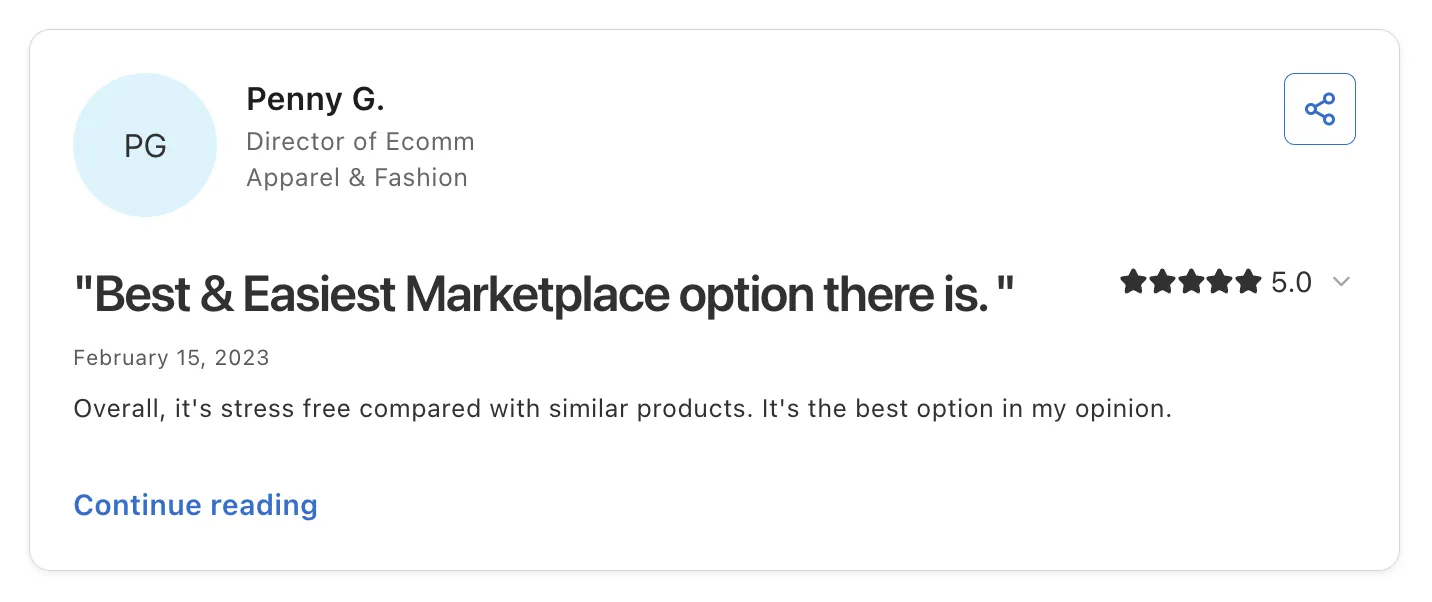
Reviewers praise the Shopify integration and how quickly setup goes. Brands describe orders landing in their own store and being fulfilled like any other order, and several credit hands-on onboarding help from a responsive team. Others point to new retail channels they could not open alone.
Reviewers also highlight onboarding for smaller partners. A director of ecommerce calls it the best and easiest marketplace option, and brands credit the team with introductions to retailers and help getting connected.
Final Verdict
For retailers and marketplace operators who want third-party sellers on the store they already run, Carro is the best multi vendor marketplace platform on this list. It covers the path from seller setup to settlement in one workflow, and it brings on sellers with no technical team.
The FairGround moved its vetted-brand marketplace from Onport to Carro, with the Carro team meeting brands directly to get them connected. VYSN replaced manual brand sourcing with one system for onboarding and distributing partners in bulk, and more examples sit in Carro's customer success stories.
2. Mirakl

Overview
Mirakl is an enterprise marketplace suite for B2B and B2C companies that run large third-party marketplaces. Retailers use it to add sellers alongside their own range, and it also supports dropship programs where suppliers ship on the retailer's behalf.
The suite sits beside an existing commerce stack. Reviewers describe connections into SAP and Adobe Commerce, and Mirakl Connect gives sellers one place to reach several Mirakl-powered marketplaces.
Ideal For
- Large retailers running a marketplace as a dedicated business unit
- B2B distributors and manufacturers opening their catalog to third-party sellers
- Companies with commerce engineering teams to own integrations and workflow changes
- Sellers who want to reach several Mirakl-powered marketplaces from one account
Top Features
- Seller onboarding and approval. Sellers register and list products through a structured flow that reviewers describe as fast.
- Catalog standardization, so seller product data maps into one set of catalog rules
- Order management across sellers, with product and order flows automated once rules are set
- Mirakl Connect. Sellers manage listings for several Mirakl marketplaces from one place, which shortens recruitment for operators.
Why They Stand Out
Mirakl is one of the strongest options for enterprises that treat the marketplace as a core channel. Reviewers describe multi-vendor management at scale and strong APIs for connecting to existing commerce systems.
Its network helps too. Sellers already active on Mirakl-powered marketplaces can connect to a new one through Mirakl Connect, which gives operators a head start on recruiting established brands.
Pros
- Structured, fast seller onboarding and approval
- Standardizes catalog data from many sellers
- Strong APIs for large integration projects
- Connects to enterprise commerce systems such as SAP and Adobe Commerce
- Seller network across Mirakl-powered marketplaces
Cons
- Complex interface with features spread across sections
- Learning curve during setup that takes extra time and coordination
- Strict marketplace workflows can need workarounds or development
- Custom reporting can need external tools
Customer Reviews
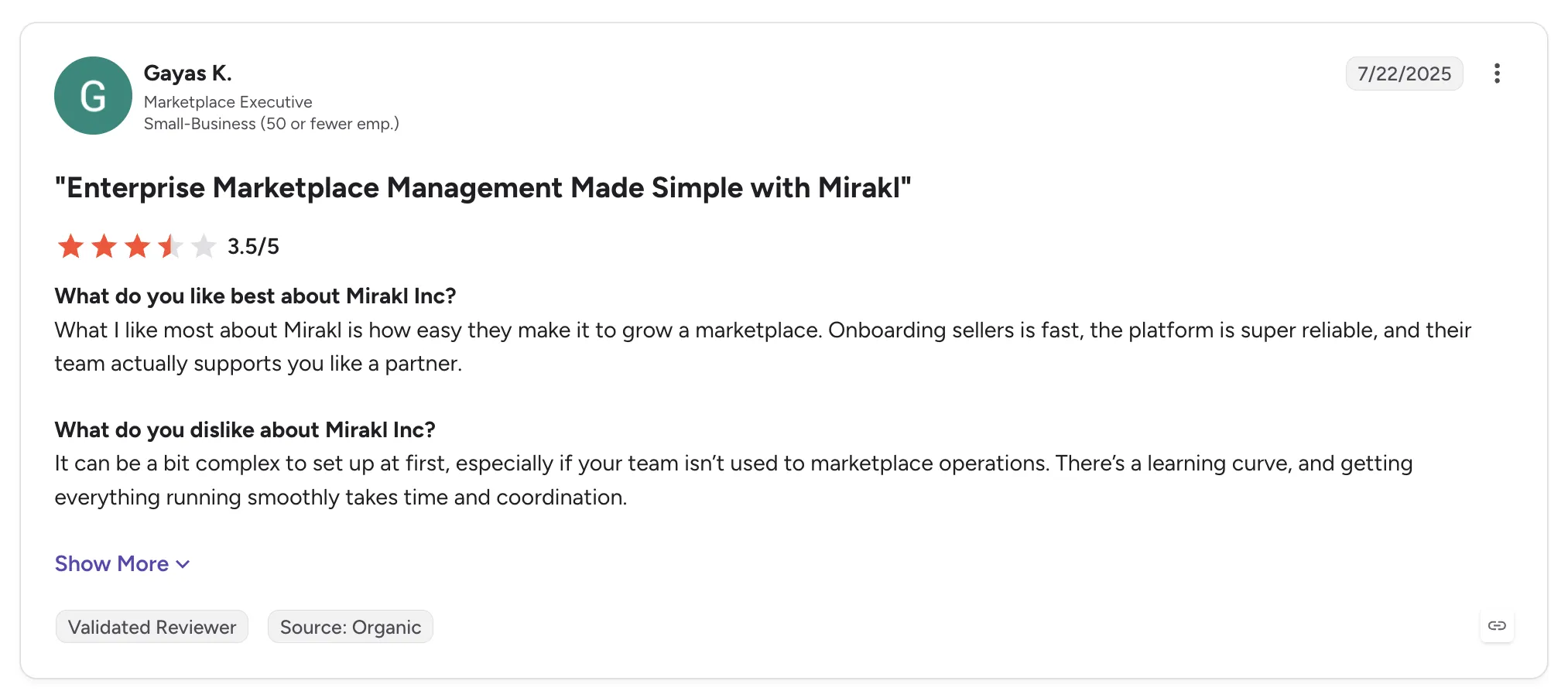
Mirakl holds 4.1 out of 5 across 14 G2 reviews and 4.5 out of 5 across 20 Capterra reviews. Both are small samples, and several reviewers sell on Mirakl-powered marketplaces, so they write from the seller side.
Reviewers praise fast, structured seller onboarding and catalog standardization. Others point to multi-vendor management at scale and API integrations that connect to existing commerce stacks.
The criticism centers on complexity. Reviewers mention a learning curve and strict workflows that need workarounds. One notes limited custom reporting without external tools.
Final Verdict
Mirakl suits large retailers and B2B companies that run the marketplace as a strategic program, with engineers to own integrations and a long runway before launch.
Most retailers adding sellers to an existing store will find the setup heavier than the job needs. If the goal is to open in weeks and bring on brands without technical teams, a lighter connection under the current store fits better.
3. Marketplacer

Overview
Marketplacer is marketplace software for retailers and loyalty businesses that want to add third-party sellers. It includes built-in dropship and range extension, so operators grow range without holding the stock.
Marketplacer positions itself as composable. It connects to an existing commerce stack, including Adobe Commerce and Shopify, and runs the seller side of the program beside it.
Ideal For
- Retailers adding third-party range to an existing enterprise commerce stack
- Loyalty and membership businesses opening a rewards marketplace
- Operators that want to review seller products in staging before release
- Teams running marketplace and B2B dropship programs side by side
Top Features
- Seller onboarding with category filtering to sort incoming products
- Staging environment. Seller products land in a review area first, so your team checks them before customers see them.
- Dropship and range extension for products your business never holds
- Composable connections into the commerce and payment systems you already run
Why They Stand Out
Marketplacer is one of the smarter choices for retailers who want marketplace and dropship from one enterprise vendor. Reviewers call it simple and reliable, and older reviews credit a team that understands the marketplace business model.
The staging step is a practical detail operators notice. It gives merchandisers a checkpoint before seller products reach the storefront.
Pros
- Handles marketplace and B2B dropship workflows together
- Staging environment for checking products before release
- Useful category filtering for seller catalogs
- Connects to existing commerce stacks
- Responsive team that knows marketplace operations
Cons
- Uploads with many products on staging can be slow and cause errors
- Seller registration and connection could be simpler
- Reviewers want a unified taxonomy and free-text attribute fields to speed seller onboarding
Customer Reviews
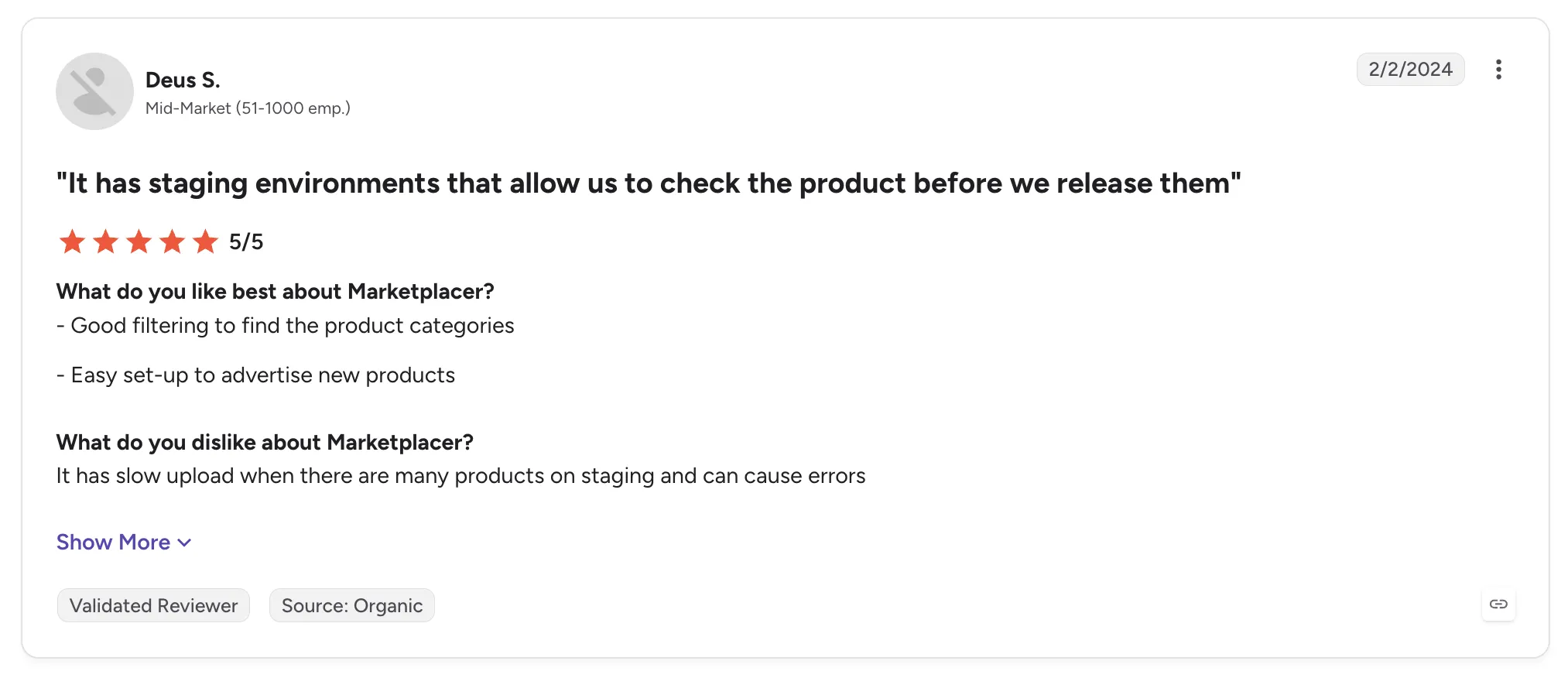
Marketplacer holds 4.8 out of 5 across 4 G2 reviews and 4.9 out of 5 across 7 Capterra reviews. That is a small sample, and six of the seven Capterra reviews date from 2018.
Reviewers praise a simple, reliable product that runs marketplace and B2B dropship workflows together. They single out the staging environment and category filtering, and older reviews credit a responsive team.
The criticism is specific. One reviewer reports slow uploads and errors when staging many products. Another wants a unified taxonomy and free-text attribute fields to speed seller onboarding.
Final Verdict
Marketplacer suits retailers and loyalty businesses with an enterprise commerce stack that want marketplace and dropship from one vendor, with a staging checkpoint before products go live.
It is built for enterprise programs that run their own implementation. Retailers that want sellers on their current store in weeks, with setup handled for brands without developers, may prefer a lighter connection.
4. Rithum

Overview
Rithum is the company formed from the combination of CommerceHub and ChannelAdvisor. It serves brands and retailers with third-party commerce tools covering drop shipping, vendor self-service for private marketplaces, e-commission and public marketplace listings.
For retailers, the CommerceHub side runs dropship programs with established suppliers. For brands, the ChannelAdvisor side lists and syncs products across public marketplaces, with inventory sync that prevents overselling.
Rithum is built for enterprise scale. One reviewer describes more than a million listings running with no load issues.
Ideal For
- Enterprise retailers running large dropship programs with established suppliers
- Brands selling across many public marketplaces from one system
- Retailers adding vendor self-service to a private marketplace
- Teams with catalogs large enough to strain lighter tools
Top Features
- Dropship network. Retailers connect to suppliers already on the network and receive order and stock updates from them.
- Vendor self-service for private marketplaces, where sellers manage their own listings
- Marketplace integration and inventory sync, so stock and prices update across channels
- Daily reporting on product uploads and sales
Why They Stand Out
Rithum is one of the strongest choices for enterprises that need dropship and public marketplace selling under one vendor. Its reach across established retailers and suppliers is broad.
Reviewers describe centralized order and inventory management that cuts manual updates. For a brand listing on many marketplaces, that consolidation replaces a separate login per channel.
Pros
- Manages listings and orders across many marketplaces in one place
- Inventory sync that prevents overselling
- Handles large catalogs without load issues
- Established dropship network for enterprise retail
- Helpful account teams
Cons
- Learning curve and a complex interface for new users
- Slow interface during bulk updates or with large data sets
- Reviewers criticize cost and contract length
- Mixed accounts of onboarding and project support
Customer Reviews
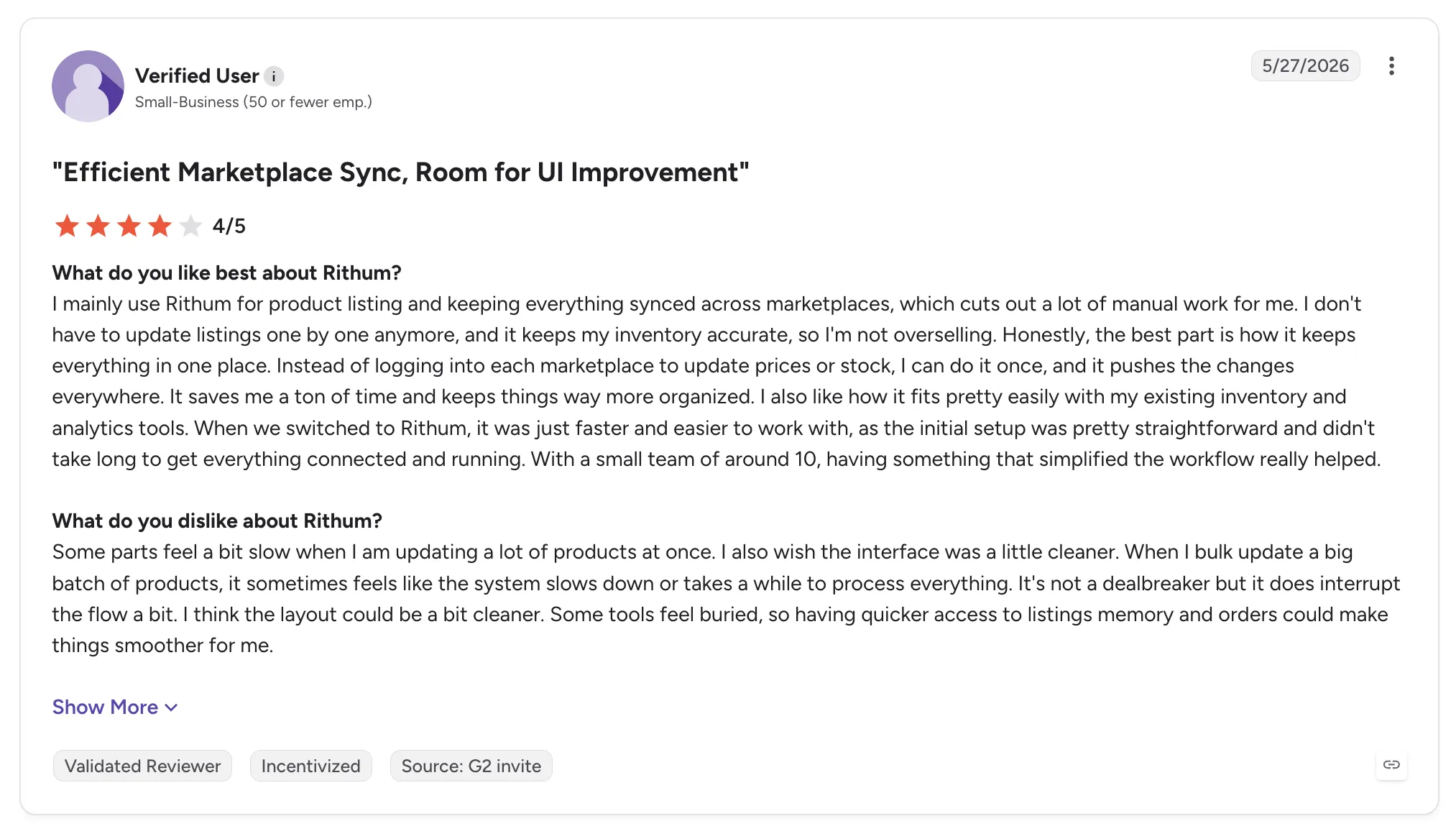
Rithum holds 4.0 out of 5 across 123 G2 reviews and 3.8 out of 5 across 61 Capterra reviews. Some older reviews still refer to the product as ChannelAdvisor.
Reviewers praise having one place to manage listings and orders across marketplaces, with inventory sync that prevents overselling. Others describe smooth product uploads and daily reporting.
Criticism focuses on usability and commercial terms. Reviewers describe a learning curve and a slow interface during bulk updates, and some criticize cost and contract length. A few describe onboarding projects that went poorly.
Final Verdict
Rithum suits enterprise retailers running large dropship programs and brands selling across many public marketplaces, where network reach and catalog scale matter most.
For a retailer opening a curated marketplace on its current store, Rithum can be more system than the job needs. Reviewers flag a learning curve and contract terms that suit large programs, and our roundup of the best dropship software compares lighter routes.
5. Sharetribe

Overview
Sharetribe is a no-code marketplace builder for founders launching a new marketplace, with the option to extend it with code. It covers the core of a two-sided marketplace: listings, search, transactions and payments through Stripe Connect.
Founders use it for rental and service marketplaces as well as product listings. Sharetribe says a marketplace can launch in a day.
Ideal For
- First-time founders validating a marketplace idea with little code
- Rental and service marketplaces that need bookings and two-sided payments
- Small teams that want to start no-code and add custom code later
- Non-technical operators who value hands-on support
Top Features
- No-code setup with step-by-step onboarding, so non-coders can launch
- Code extension through the API. When the default marketplace needs custom logic, developers build on the same marketplace.
- Stripe Connect payments that split each transaction between the marketplace and the provider
- Built-in marketplace basics, including listings, search, reviews and messaging
Why They Stand Out
Sharetribe is one of the fastest ways to put a new marketplace idea in front of customers. Reviewers describe launching with minimal technical skill and credit a support team that answers quickly and with care.
The upgrade path is its second strength. A founder can start in the no-code builder, then bring in developers to extend the same marketplace once it gains traction.
Pros
- Quick no-code setup that non-technical founders can handle
- Fast, human support
- Extensible with code and an API
- Active development, with an AI assistant and documentation
Cons
- Marketplaces look alike without custom development
- Learning curve for advanced flexibility and control
- Some reviewers find the cost high next to alternatives
- Support does not run around the clock
- Runs as its own marketplace site, so it does not add sellers to an existing Shopify or Magento store
Customer Reviews
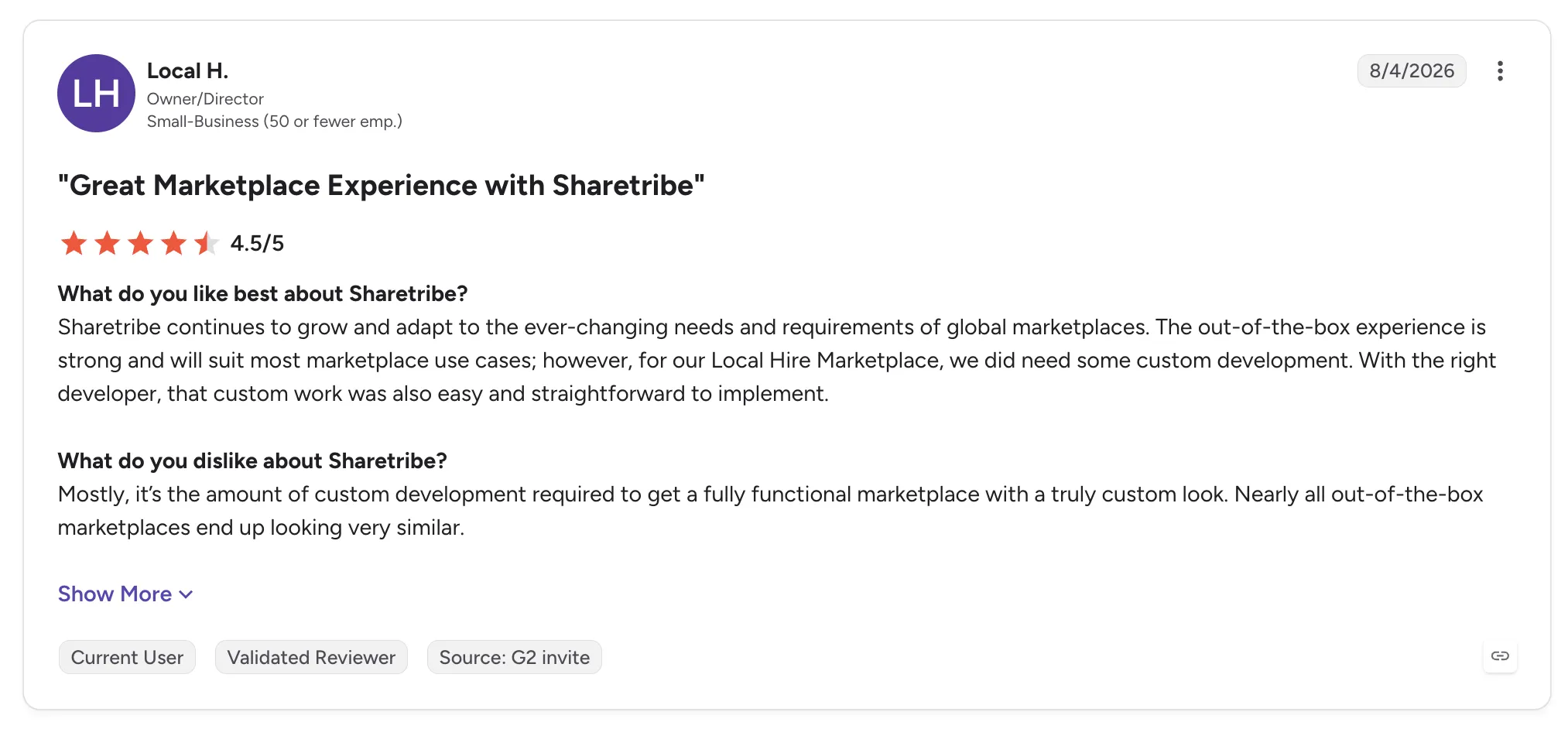
Sharetribe holds 4.7 out of 5 across 41 G2 reviews and 4.5 out of 5 across 64 Capterra reviews.
Support is the dominant theme in the praise. Reviewers describe fast, human replies and step-by-step onboarding that let non-coders launch.
The criticism centers on design and control. Reviewers say an out-of-the-box marketplace looks like many others unless you pay for custom development, and some describe a learning curve for advanced settings. A few question the cost.
Final Verdict
Sharetribe suits founders launching a new rental or service marketplace who want to start without code and extend later.
It builds a new marketplace site, so retailers with an established store and product catalog get less from it. Retailers that need seller catalogs and stock synced from each seller's own system will need custom development to get there.
6. CS-Cart Multi-Vendor
Overview
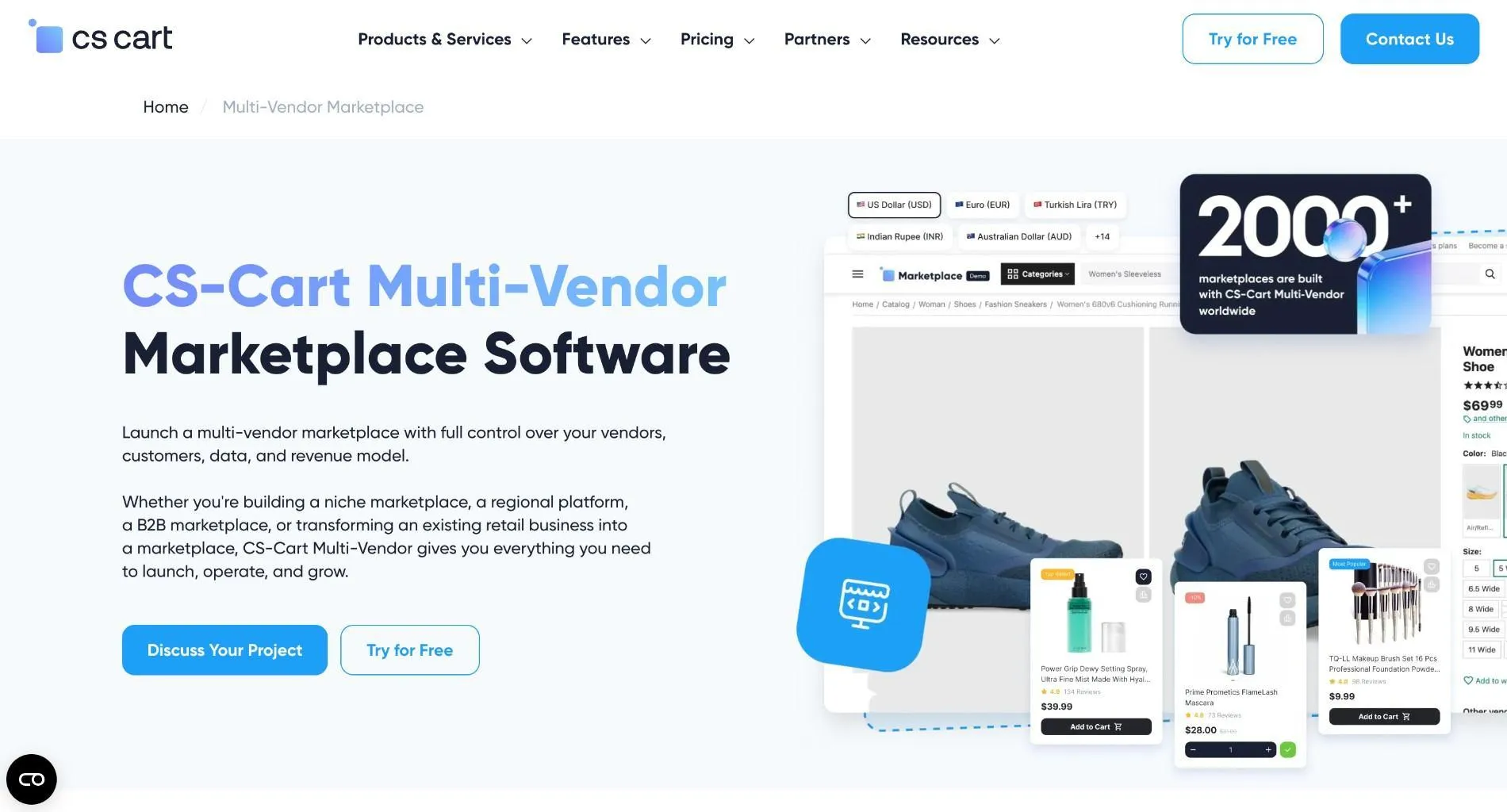
CS-Cart Multi-Vendor is self-hosted marketplace software for launching an Amazon-style multi-vendor marketplace on your own servers. Independent vendors sell through one storefront, managed from a built-in admin.
The vendor lists more than 500 marketplace features, a no-code design tool, open code and more than 2,000 add-ons and themes. Because you host it and hold the license, your team controls the code and the servers it runs on.
Ideal For
- Businesses that want full code access and control over hosting
- B2B marketplaces that need bulk orders and role permissions
- Operators running several storefronts from one admin
- Teams with in-house or agency developers
Top Features
- 500+ built-in marketplace features, from vendor management to bulk product upload
- Multi-storefront management. Several storefronts run from one admin panel, each with its own vendors and catalog.
- Open, modular code you can customize or extend with add-ons
- B2B tools for bulk orders and role permissions
Why They Stand Out
CS-Cart Multi-Vendor is one of the most complete self-hosted options on this list. Reviewers describe a feature set that covers most marketplace needs before any add-on, and code that developers can change freely.
Speed at volume is the other theme. Reviewers report it staying fast with large catalogs and order volumes, which matters for B2B operators with deep product lines.
Pros
- Large out-of-the-box feature set
- Open, modular code and a big add-on library
- Handles large catalogs and order volumes
- Several storefronts from one admin
Cons
- Setup and configuration need technical knowledge
- Several advanced features sit on higher-tier plans or paid add-ons
- Default storefront theme looks dated
- Support complaints cluster in some reviews
- Hosting and updates are your team's responsibility
Customer Reviews
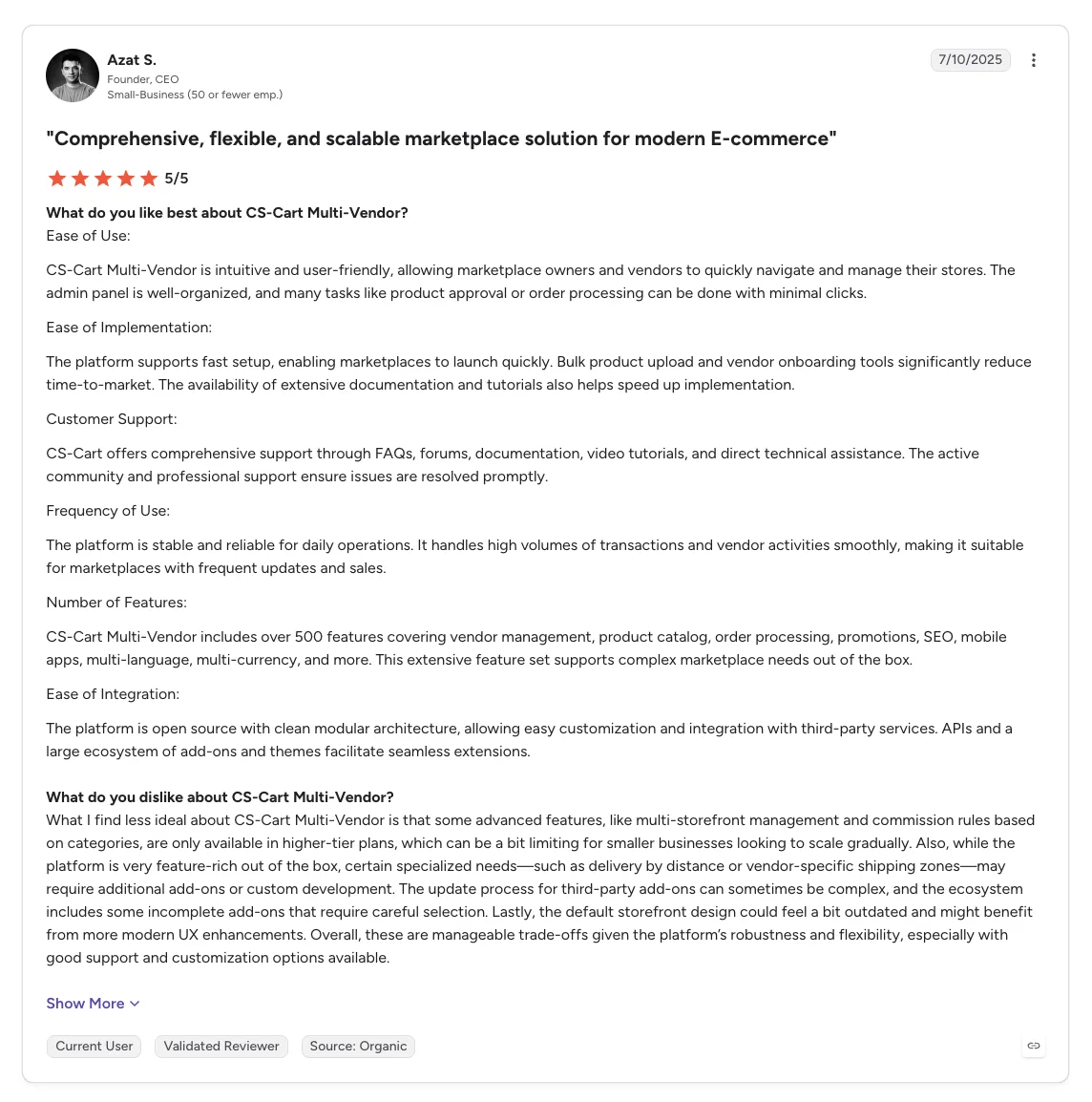
CS-Cart Multi-Vendor holds 4.8 out of 5 across 66 G2 reviews and 4.6 out of 5 across 135 Capterra reviews, one of the larger review bases on this list.
Reviewers praise the breadth of features and how easily the code can be customized. Vendor management and bulk upload come up often, along with speed on large catalogs.
Criticism centers on setup and support. Reviewers describe a learning curve and technical configuration, and a cluster of reviews complains about paid or slow support. Others find the default theme dated.
Final Verdict
CS-Cart Multi-Vendor suits teams that want a feature-rich, self-hosted marketplace and have developers to configure and maintain it.
For retailers who already run a storefront, it means building and hosting a second store. Adding sellers to the current store, with seller connections handled for you, takes a different kind of tool.
7. Nautical Commerce
Overview
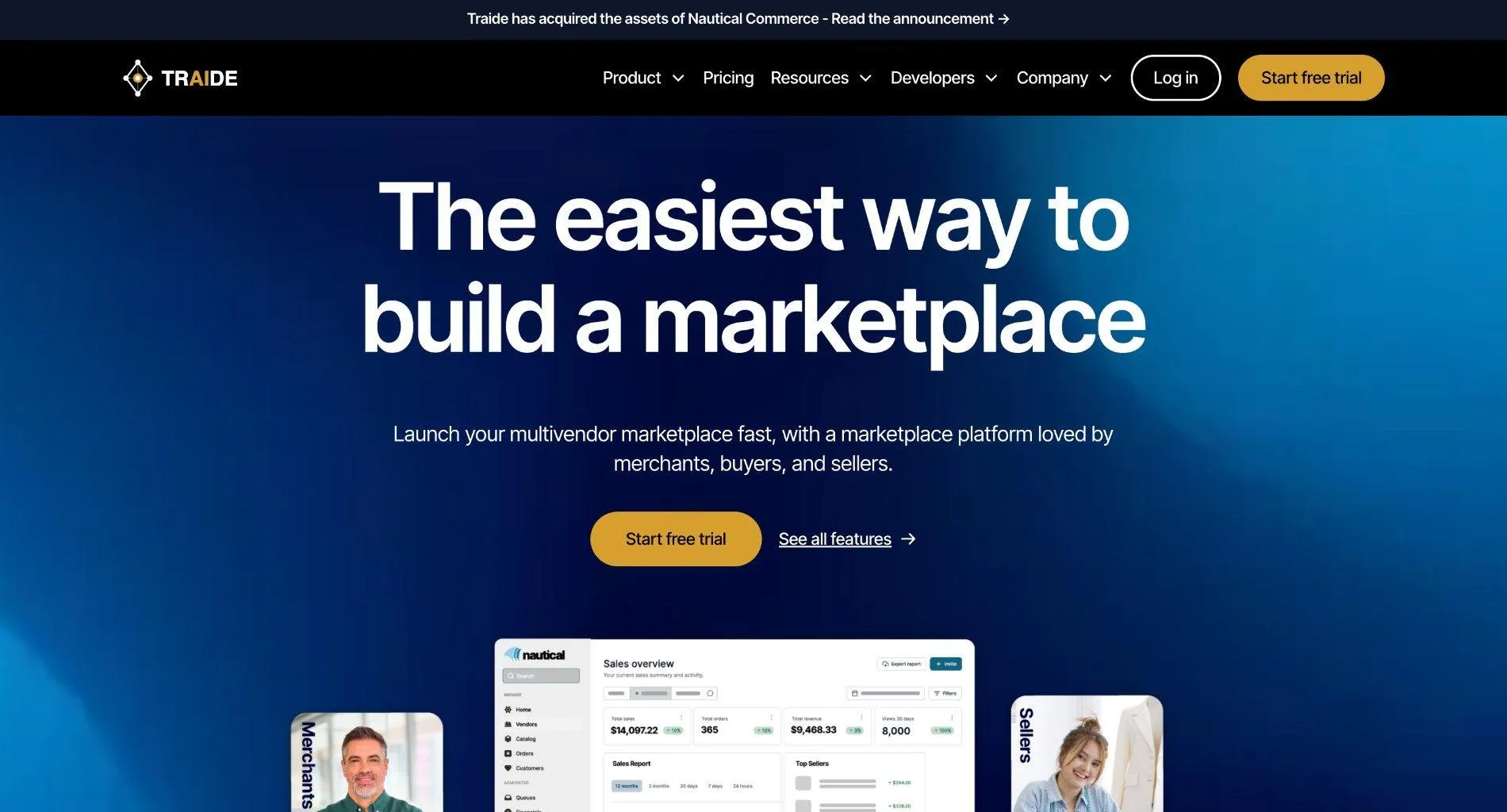
Nautical Commerce is headless multi-vendor commerce software for retailers and B2B distributors. It lets them become an online marketplace or run dropship, with separate tools for the operator and for sellers.
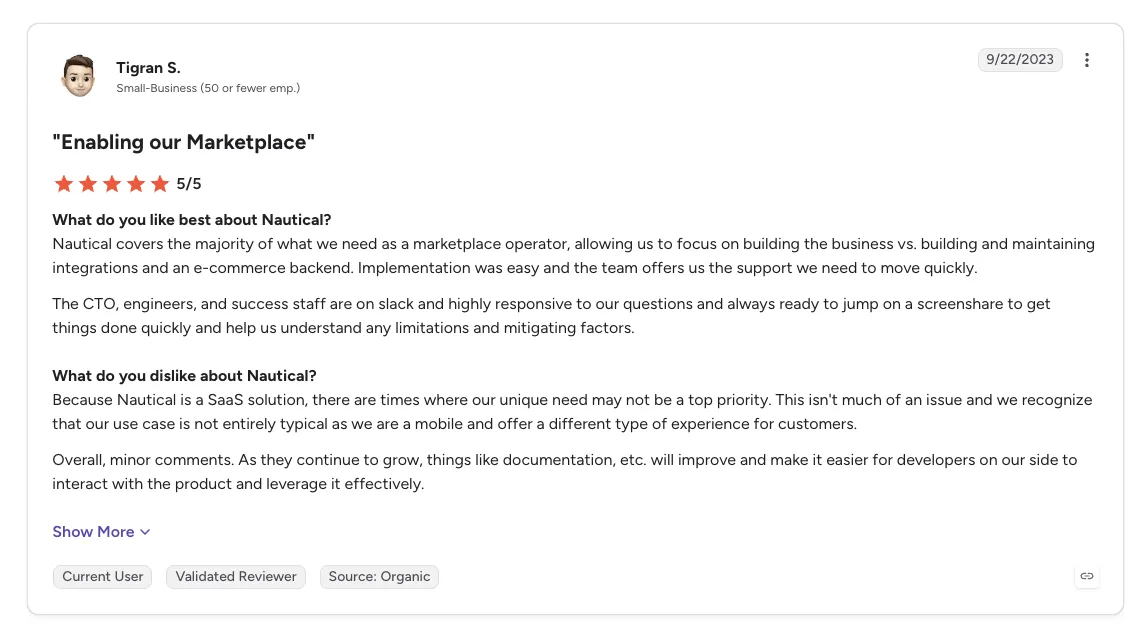
Being headless, it separates the commerce back end from the storefront, so teams build the front end they need. Reviewers describe a partner-like team with engineers available on Slack during implementation.
Ideal For
- B2B distributors and manufacturers opening a marketplace for their channel
- Retailers building a custom headless storefront with multi-vendor logic
- Teams with front-end developers to build the buyer-facing site
- Operators who value direct access to the vendor's engineers
Top Features
- Headless multi-vendor back end that feeds any front end
- Operator and seller tools for managing vendors and their orders
- Marketplace and dropship models from the same software
- Integrations with finance and analytics tools, including QuickBooks Online and Google Analytics 360
Why They Stand Out
Nautical is one of the more flexible options for B2B companies building a custom marketplace. Reviewers say it covers most operator needs, so their teams can spend time on the business itself.
The team is a recurring theme. Reviewers describe the CTO and engineers joining Slack threads and screen shares, and clear follow-through on timelines.
Pros
- Flexible headless architecture
- Supports marketplace and dropship models
- Hands-on, responsive team
- Covers most operator needs out of the box
Cons
- Gaps in standard features such as tax calculation and line-item refunds, per one reviewer
- Individual feature requests may wait behind the product roadmap
- Developer documentation still maturing
- The headless build needs front-end developers
Customer Reviews
Nautical holds 4.6 out of 5 across 4 G2 reviews and 4.8 out of 5 across 9 Capterra reviews. That is a small sample, and the newest review dates from January 2024.
Reviewers praise a team that behaves like a partner. They describe easy implementation and flexible headless technology.
The criticism is specific. One reviewer found tax calculations and line-item refunds inaccurate even with a finance app connected, and others note that feature requests queue behind the vendor's roadmap.
Final Verdict
Nautical suits B2B distributors and retailers building a custom headless marketplace with their own front-end team.
The headless build makes it a bigger project for most retailers, since the buyer-facing site has to be built first. A retailer with an existing Shopify or Magento 2 store can add sellers without building a new front end.
8. Arcadier

Overview
Arcadier is an API-first multi-vendor marketplace product for teams that want speed to launch with technical control. It ships with a multi-vendor cart, and developers work through a REST API and Node.js SDK.
Industry templates let a non-technical team launch without coding, and the vendor offers technical consultation and onboarding support. Arcadier positions itself for mid-market and enterprise buyers.
Ideal For
- Teams testing a marketplace idea from a template before investing further
- Mid-market companies that want API access from day one
- Developers building custom marketplace logic on a REST API
- Multilingual marketplaces serving more than one market
Top Features
- Industry templates to launch a marketplace without writing code
- REST API and Node.js SDK. Developers build custom logic on top once the template stops fitting.
- Plug-ins and themes that change how the marketplace looks and works
- Integrations with popular payment processors
Why They Stand Out
Arcadier is one of the quicker ways to test a marketplace concept with little upfront build. Reviewers describe launching from templates and customizing through plug-ins and APIs.
The API-first design gives developers a clear path when the template stops fitting, and multilingual support helps marketplaces that sell in more than one language.
Pros
- Templates that need no coding
- Customization through plug-ins and APIs
- Multilingual support
- A quick way to launch and test a marketplace
Cons
- Steep learning curve with technical terms
- Custom work beyond the templates is hard to develop
- Crowded interface with utilities you cannot switch off
- Not all learning resources are free
Customer Reviews
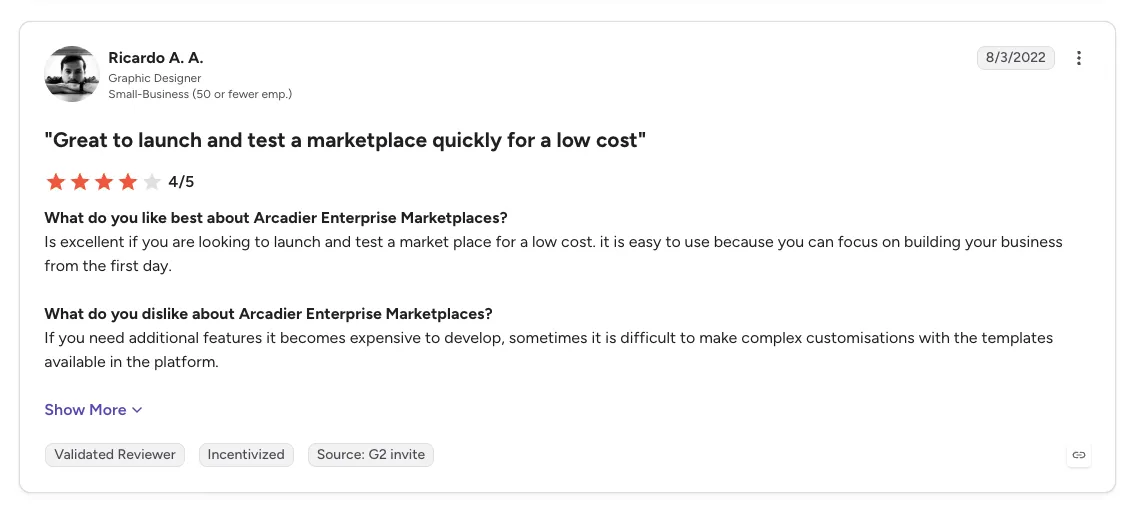
Arcadier holds 4.3 out of 5 across 6 G2 reviews, a small sample drawn from invited reviews, five of them from 2022.
Reviewers praise templated marketplaces that need no coding and a fast way to launch and test an idea. They also credit customization through plug-ins and APIs.
Criticism centers on the learning curve and customization. Reviewers say complex changes beyond the templates are hard to build, and one describes a crowded interface with utilities that cannot be turned off.
Final Verdict
Arcadier suits teams that want to test a marketplace idea from templates, with an API to grow into.
It builds a separate marketplace site, and complex changes beyond the templates are hard to develop. Retailers adding sellers to an existing store will get more from software that connects under that store.
9. Dokan Multivendor

Overview
Dokan Multivendor is a WordPress plugin, built on WooCommerce, that turns a WordPress site into a multi-seller marketplace. It comes from weDevs and is also listed as Dokan Multivendor Marketplace.
Each vendor gets a storefront and manages products and orders from a frontend dashboard, so sellers stay out of the WordPress admin. The marketplace owner sets commissions and verifies sellers before they go live.
Ideal For
- WooCommerce store owners adding third-party sellers to their site
- Small marketplaces that want WordPress control over design and content
- Rental and service marketplaces built on WooCommerce extensions
- Developers and agencies building marketplaces for clients
Top Features
- Vendor storefronts and a frontend dashboard where sellers manage their own products and orders
- Commission settings for the marketplace owner
- Seller verification. Vendors pass your checks before their products appear on the site.
- Compatibility with WooCommerce themes, so the marketplace keeps your site's look
Why They Stand Out
Dokan is one of the most direct routes for an existing WooCommerce store to become a marketplace. It runs inside the site you already have, with the themes and extensions you already use.
Reviewers describe a wide feature set for vendors and buyers, and several credit support that replies within 24 hours. Continuous development adds features over time.
Pros
- Adds marketplace features to an existing WooCommerce site
- Works with WooCommerce themes
- Wide vendor and buyer feature set
- Responsive support
Cons
- Complicated setup for admins and non-technical sellers
- Slow in places, with UI bugs such as small form fields
- Limited operator control over seller orders and stock
- Works only on WordPress and WooCommerce
Customer Reviews
Dokan holds 4.6 out of 5 across 11 G2 reviews and 4.2 out of 5 across 46 Capterra reviews. The G2 sample is small, and five of its eleven reviews date from 2019.
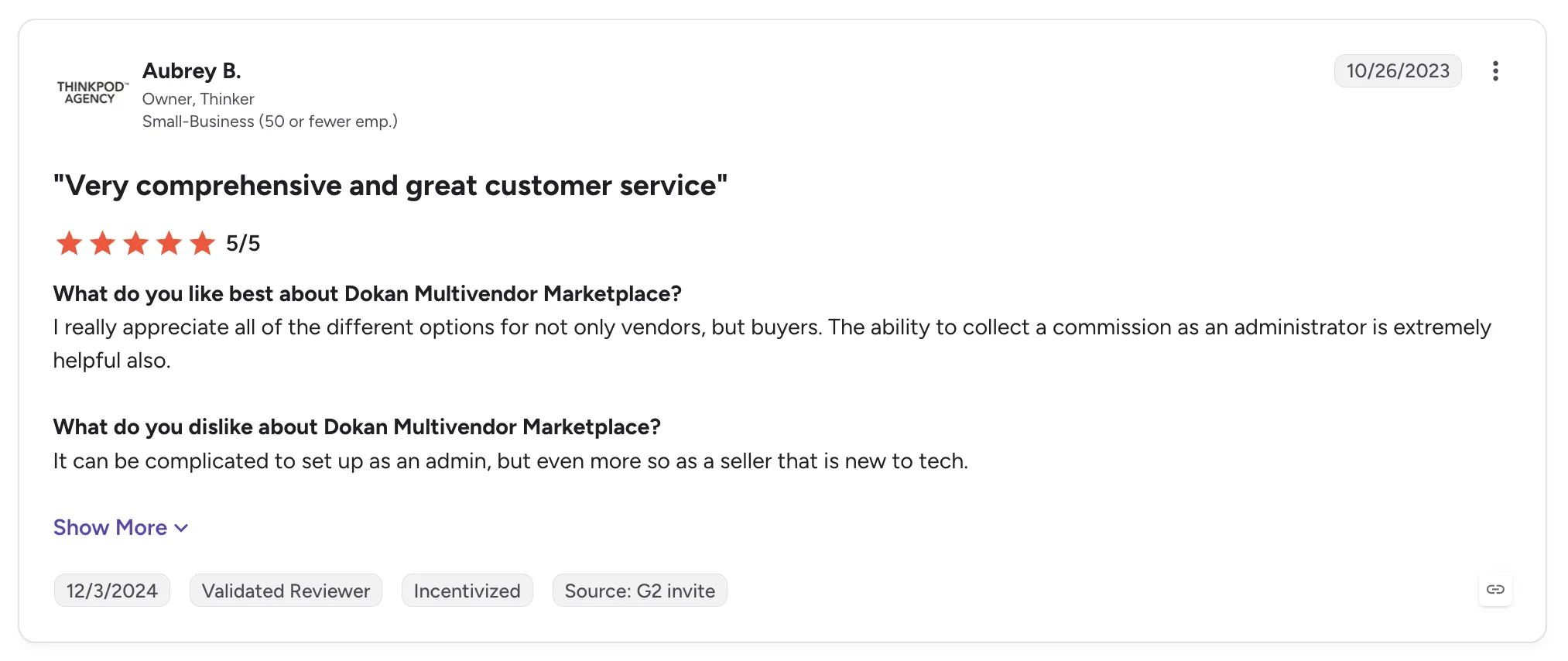
Reviewers praise the breadth of features and a responsive support team. They mention commissions, multi-store options, shipping and payment methods, and compatibility with any WooCommerce theme.
Criticism centers on setup and control. Reviewers find setup complicated for admins and sellers without technical skills. Others describe a slow interface or want more control over seller orders and stock.
Final Verdict
Dokan suits WooCommerce store owners who want to add sellers inside WordPress and are comfortable with plugin setup.
Its reach ends at WooCommerce, and sellers keep their listings up to date inside your site. Retailers on Shopify, Magento 2 or BigCommerce, or with sellers who run their own systems, need a connection that syncs stock from each seller's system.
10. Yo!Kart
Overview
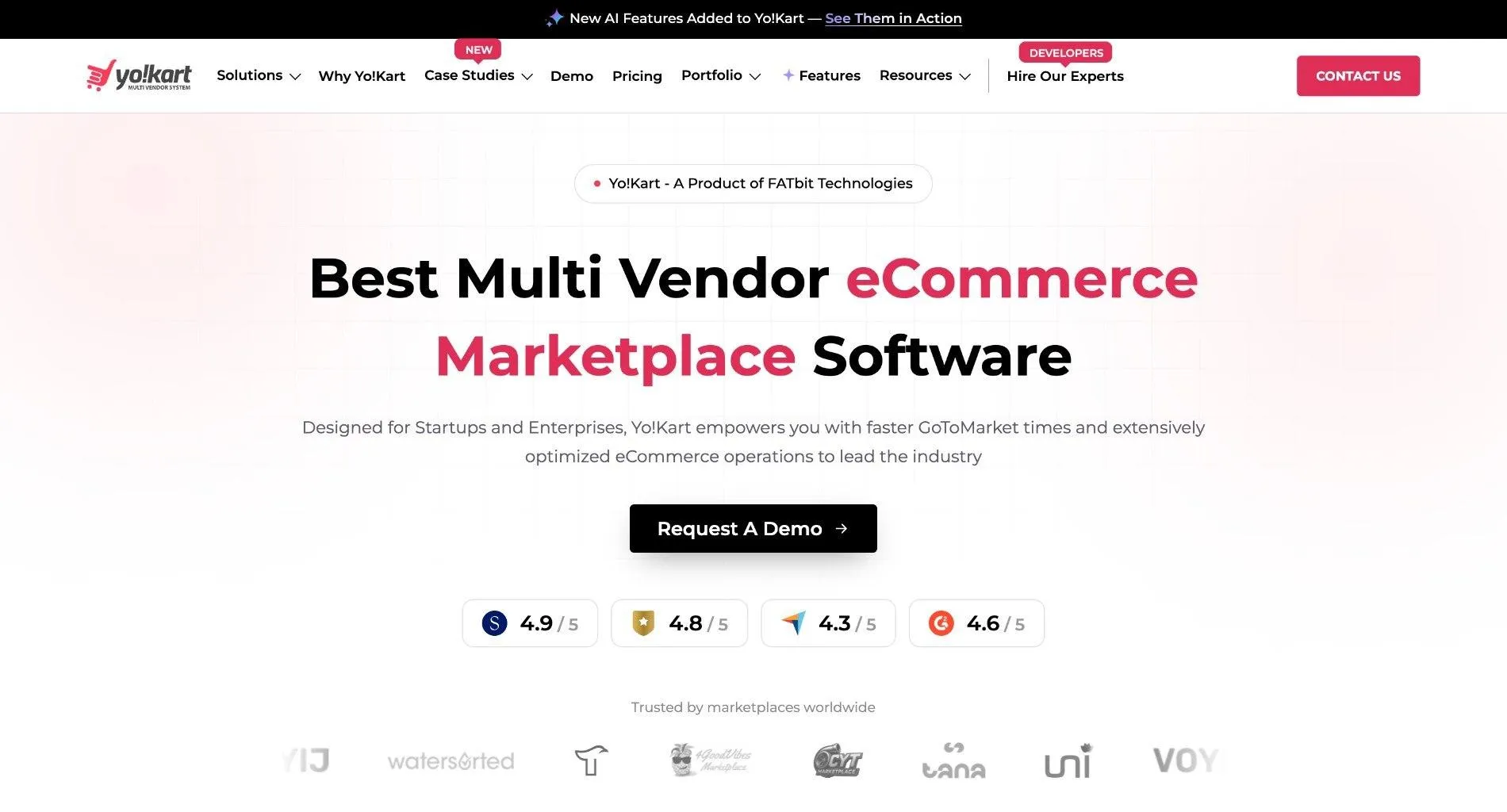
Yo!Kart is self-hosted multi-vendor marketplace software from FATbit Technologies for building B2B and B2C marketplaces. It targets founders and businesses investing in multi-seller online selling.
It ships with core ecommerce features and more than 20 pre-integrated payment gateways. FATbit's team also delivers custom builds, and many reviewers praise that service as much as the software.
Ideal For
- Founders launching a niche marketplace on their own server
- Small teams that want a ready-to-launch system with support
- B2B marketplaces with product fitment needs, such as auto parts
- Marketplaces that need buyer mobile apps
Top Features
- Vendor management with buyer-seller messaging
- Flexible catalog configuration, including categories and product fitment
- Buyer mobile apps alongside the web marketplace
- Self-hosted install on your own server
Why They Stand Out
Yo!Kart is one of the more accessible self-hosted options for non-technical founders. Reviewers describe a ready-to-launch system and a professional team that stays responsive across time zones.
Its configuration handles niche catalogs well. One reviewer set up product fitment to run an auto parts marketplace.
Pros
- Ready-to-launch system for non-technical founders
- Responsive, professional team
- Flexible categories and product fitment
- Buyer mobile apps
Cons
- Technology feels dated next to newer tools, with little advanced automation
- Few front-end themes and design options
- Advanced features need custom development
- Reports of bugs and onboarding delays
Customer Reviews
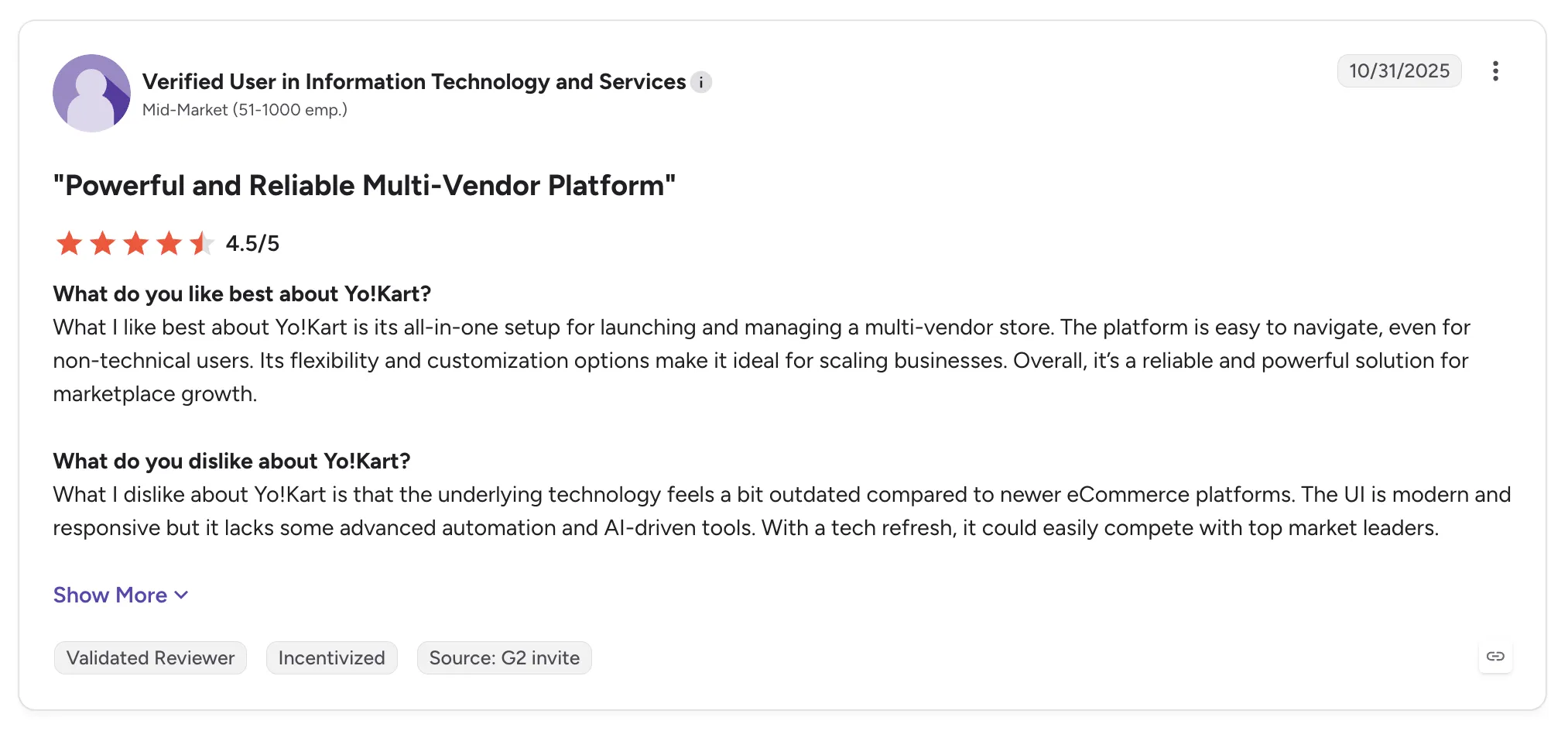
Yo!Kart holds 4.6 out of 5 across 38 G2 reviews and 4.2 out of 5 across 53 Capterra reviews.
Reviewers praise a responsive team and a system that non-technical founders can launch. They also value flexible configuration and buyer-seller messaging.
Criticism centers on age and design. Reviewers say the technology feels outdated and lacks advanced automation, and some want more themes. A cluster of low ratings describes bugs and onboarding delays.
Final Verdict
Yo!Kart suits founders launching a niche, self-hosted marketplace who want a ready system and a team to customize it.
It builds a separate marketplace on your own server, and reviewers find the technology dated. Retailers who want sellers on their current store, with stock synced from each seller's system, need a different route.
How to Choose the Best Multi Vendor Marketplace Platform (What To Consider)?
The best multi vendor marketplace platform for you depends on where your marketplace will live and how much work each seller adds after launch. These seven factors separate software that opens a marketplace from software that keeps it running as sellers multiply.
Buyers searching for the best multi vendor ecommerce marketplace solution can score each shortlisted tool against a real seller they plan to add next.
1. Open on the Store You Already Run, With No Replatform
If you already sell online, the fastest marketplace is usually the one that opens on your current store. Ask each vendor whether it connects to your Shopify, Magento 2, WooCommerce or BigCommerce store, or whether it needs a new storefront or a second system beside the first.
A new storefront means migrating content and customer accounts before the first seller lists a product. Software that connects under the store keeps payments, shipping, ERP and accounting where they are, with no custom build, and a marketplace on that model can open in weeks.
2. Test Onboarding With a Seller Who Has No Developers
Many of the sellers you want are brands with small teams. Ask the vendor to walk through onboarding for a seller with no developer, from account details and connection through product data, partner price list and a test order before go-live.
Look for a defined sequence with visible progress and a vendor team that works on setup with the seller. Connections should cover commerce apps, APIs, EDI, SFTP and files on a schedule, so each seller connects through what it already runs.
Timing tells you how the process holds up. With a defined sequence, a seller can be live in days, and the next seller follows the same path as the last one. If the answer is a seller portal and documentation, the work falls back on your team.
3. Follow One Order Across Several Sellers
Multi-vendor carts create split orders. Ask to see one customer order with products from several sellers split into separate seller orders, each routed into the system that seller already uses, with nothing re-keyed.
Each seller order should carry a documented state from confirmed through shipped with tracking. Then ask what happens when something breaks: stalled orders and SKU mapping errors should surface in an exceptions view with the detail needed to act, and returns should follow terms agreed with each seller.
4. Settle Each Order When It Ships
Payout disputes start when invoices are rebuilt from statements after the fact. Check whether the shipment triggers the seller invoice and whether partner fees, commissions, shipping costs and return credits land against the order they belong to.
Both sides should read the same record. Sellers paid the day an order ships have less reason to chase you, and finance stops reconciling from separate spreadsheets.
Ask about the exceptions on the money side too. A failed charge should follow a configured process and reach a person who can act on it, and return acceptance and refunds should stay separate steps.
5. Check How Stock and Prices Stay Current
A marketplace sells what the listing says is available. Stock and prices should update from each seller's system on the cadence that seller's connection supports, with no one re-entering numbers when a seller changes them.
Look for inventory management software that syncs stock from each seller's system, since a tool built for owned stock only sees what you hold. Ask how seller product data maps to your catalog and whether your edits stay separate from the seller's original.
6. Decide Whether You Need Supply as Well as Software
Software connects sellers once you have found them. Ask whether the vendor brings a network of vetted brands, and whether you can test a brand on real demand with no purchase order.
Curated supply also shortens the path to launch, because the marketplace opens with range already in place. Check whether one commercial relationship covers those brands or whether each seller needs its own agreement.
7. Prepare the Catalog for AI Shopping Agents
An AI shopping agent buys from the stock and prices it can read. Ask whether the software keeps one catalog current across every seller and routes agent-placed orders to the seller holding the stock.
A shopping agent that reads a stale catalog sells what cannot be shipped, and every unfilled order lands on your support team.
Everything You Need to Know About Multi-Vendor Marketplace Platforms
| Company | Pros | Cons | Ease of Use | Integrations | Support | Seller Onboarding | Launch on Your Existing Store |
|---|---|---|---|---|---|---|---|
| Carro | Opens on your existing store; sellers without tech teams onboarded; settlement tied to shipment | USD settlement in Stripe-approved countries; storefront apps cover four systems; hand-matched introductions on Growth plan | ⭐⭐⭐⭐ | ⭐⭐⭐⭐ | ⭐⭐⭐⭐⭐ | ⭐⭐⭐⭐⭐ | ⭐⭐⭐⭐⭐ |
| Mirakl | Structured seller onboarding; strong APIs; seller network | Complex setup; learning curve; strict workflows | ⭐⭐⭐ | ⭐⭐⭐⭐⭐ | ⭐⭐⭐⭐ | ⭐⭐⭐⭐ | ⭐⭐⭐ |
| Marketplacer | Marketplace and dropship together; staging checks; composable fit | Slow staging uploads; registration could be simpler; no unified taxonomy | ⭐⭐⭐⭐ | ⭐⭐⭐⭐ | ⭐⭐⭐⭐ | ⭐⭐⭐ | ⭐⭐⭐⭐ |
| Rithum | Listings and orders in one place; inventory sync; large catalogs | Learning curve; slow bulk updates; contract terms | ⭐⭐⭐ | ⭐⭐⭐⭐ | ⭐⭐⭐ | ⭐⭐⭐ | ⭐⭐⭐ |
| Sharetribe | Fast no-code setup; responsive support; extensible with code | Marketplaces look alike; learning curve for control; separate site | ⭐⭐⭐⭐⭐ | ⭐⭐⭐ | ⭐⭐⭐⭐⭐ | ⭐⭐⭐ | ⭐ |
| CS-Cart Multi-Vendor | Large feature set; open code; fast with large catalogs | Technical setup; tier-gated features; dated theme | ⭐⭐⭐ | ⭐⭐⭐⭐ | ⭐⭐⭐ | ⭐⭐⭐ | ⭐ |
| Nautical Commerce | Headless flexibility; hands-on team; marketplace and dropship | Tax and refund gaps; feature requests wait on the roadmap; needs front-end developers | ⭐⭐⭐⭐ | ⭐⭐⭐⭐ | ⭐⭐⭐⭐⭐ | ⭐⭐⭐ | ⭐⭐ |
| Arcadier | No-code templates; API-first; multilingual | Steep learning curve; hard custom work; crowded interface | ⭐⭐⭐ | ⭐⭐⭐ | ⭐⭐⭐ | ⭐⭐⭐ | ⭐ |
| Dokan Multivendor | Runs on existing WooCommerce site; wide feature set; responsive support | Complicated setup; slow UI; limited operator control | ⭐⭐⭐ | ⭐⭐⭐ | ⭐⭐⭐⭐ | ⭐⭐ | ⭐⭐⭐ |
| Yo!Kart | Ready to launch; responsive team; flexible catalog setup | Dated technology; few themes; custom work for advanced features | ⭐⭐⭐⭐ | ⭐⭐⭐ | ⭐⭐⭐⭐ | ⭐⭐⭐ | ⭐ |
Open a Marketplace on the Store You Already Run with Carro
Carro opens a marketplace on the store you already run and brings each seller on through the same workflow. Sellers connect through the app, API, EDI, SFTP or files they already use, and the Carro team works on setup with brands that have no developers.
Orders split and route to each seller while stock and prices stay current. A shipment triggers the seller's invoice, with fees and returns worked out against the order and both sides reading the same record.
Marketplaces can open on an existing store in weeks, and a test order checks fulfillment and invoicing before anything goes live. You can test brands from a 1,500,000-product network with no purchase order and keep only what sells.
Carro reports that its retailers see up to 3.5x revenue growth and up to 180% AOV growth. PacSun uses Carro to launch products faster and test brands without owning inventory.
Book a demo with Carro and bring the next seller you want to add to your store.
Frequently asked questions
What is a multi-vendor marketplace platform used for?
A multi-vendor marketplace platform is used for selling products from many independent sellers through one storefront and checkout, while each seller keeps its own stock and ships its own orders. The software handles seller onboarding, catalog and stock sync, order splitting and routing, returns and payouts. Retailers use it to extend their range without buying inventory, and marketplace operators use it to add sellers without adding headcount. Carro, for example, connects retailers to a network of 1,500,000 products from established brands.
What is the best multi vendor marketplace platform in 2026?
The best multi vendor marketplace platform in 2026 is Carro for retailers and marketplace operators adding sellers to a store they already run on Shopify, Magento 2, WooCommerce or BigCommerce. It brings sellers on through one workflow, including sellers with no technical team, and marketplaces can open on an existing store in weeks. Each order routes to the seller holding the stock, and settlement follows the shipment. Mirakl and Marketplacer suit enterprise programs, while Sharetribe and CS-Cart Multi-Vendor suit founders building a new marketplace site.
What should I consider when choosing the right multi-vendor marketplace platform for me?
When choosing the right multi-vendor marketplace platform for you, consider whether it opens on the store you already run with no replatform and how it onboards sellers with no technical team. Check that one customer order splits into separate seller orders, each routed into that seller's own system. Confirm that a shipment triggers the seller invoice and that commissions and return credits land against the order. Carro, for example, opens a marketplace on an existing Shopify, Magento 2, WooCommerce or BigCommerce store in weeks and brings suppliers on in days.
What features should I look for in a multi-vendor marketplace platform?
The features to look for in a multi-vendor marketplace platform are storefront apps for the store you already run, a defined seller onboarding workflow ending in a test order, order splitting and routing into each seller's system, and per-order settlement triggered by the shipment. Connection options should cover commerce apps, API, EDI, SFTP and CSV so sellers without technical teams connect through what they already use. An exceptions view should surface failed charges and stalled orders, and returns should run as requests the seller accepts or rejects under agreed terms. Carro covers each of these on Shopify, Magento 2, WooCommerce and BigCommerce, and adds a network of 1,500,000 products from established brands.
How does Carro differ from similar alternatives?
Carro differs from similar alternatives by opening a marketplace on the store a retailer already runs, with no replatform, where most alternatives add a separate program beside the store or start a new site. It brings sellers on through one workflow, with the Carro team working on setup for sellers with no technical team. Each order splits and routes into each seller's own system, and the shipment triggers that seller's invoice, with commissions, fees, shipping costs and return credits landing against the order. Through Merchant Services, one commercial relationship with Carro also covers the brands and distributors it represents from a network of 1,500,000 products.
How do I get started with Carro?
You get started with Carro by booking a demo and bringing the sellers you want to add and the store they will sell through. The Carro team reviews how each seller connects, then runs setup as a defined sequence of account details, connection, product data, partner price list, test order and go live. Suppliers come onto the network in days, and marketplaces can open on an existing store in weeks. Pricing is scoped per program through a custom pricing request.
How easy is it to switch to Carro?
Switching to Carro is a contained project, because the move changes the connection under your storefront and leaves the storefront, payments, shipping, ERP and accounting in place. Carro has moved the customer bases of Modern Dropship and Onport onto its software, and sellers can follow the retailer across. The FairGround migrated from Onport with the Carro team meeting brands directly, including brands with no technical staff.
Do sellers need a technical team to join a marketplace on Carro?
Sellers do not need a technical team to join a marketplace on Carro, because the Carro team works on setup directly with sellers that have no developers. Each seller connects through what it already runs, whether a Shopify app, an API, EDI, SFTP or files on a schedule. Suppliers come onto the network in days, and a test order checks fulfillment, tracking and invoicing before products go live. The FairGround used this approach to onboard brands of all sizes after migrating from Onport.